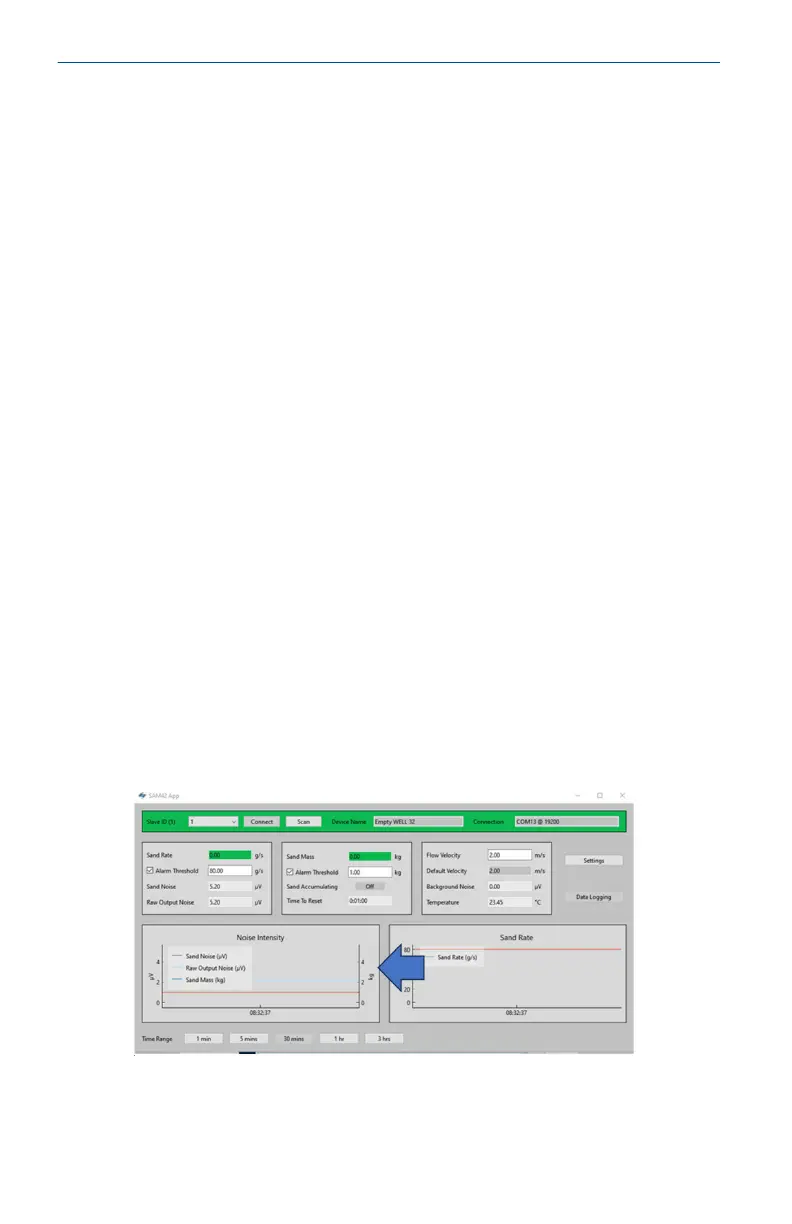
9. To exit the Background Noise Calibration, press OK to return
to the home screen.
At this stage, the background noise calibration for the device
has been completed. There are some additional features on
the background noise calibration window which can be used:
• Export
Once calibration has been completed, the calibration data
and coefficients from the application may be exported. This
will be in the form of a .SAM42 file. Press the Export
button in the bottom left-hand corner of the window to
store this file for future use.
• Import
Press the Import button in the bottom left-hand corner of
the window and select the desired .SAM42 file to load in
a previous calibration file.
4.3.2 Verification of background noise calibration
Procedure
Return to the home screen to verify the background noise calibration
of the device. The Noise Intensity graph on the left-hand side of the
window displays two lines:
a. Raw output noise
b. Sand noise
With the calibration, the raw output should be above the sand
noise line, showing that the calculation has successfully removed the
background noise, leaving only particle impact noise.
Quick Start Guide May2024
42 Emerson.com/Rosemount





 To Next Page