8. Select which access the client should have when connecting to this guest
network. “LAN+WAN” means internet plus LAN access. By selecting only “WAN”
the client only has access to the Internet.
9. To make sure this guest network will not use the complete amount of Bandwidth
speed, you can add a bandwidth speed restriction for both download ( TX ) and
upload ( RX ) speed.
10. Once you have finished the settings, please select “SAVE AND REBOOT NOW”
The router will now reboot and save and apply the settings.
11. Now that all of the multiple SSID’s ( guest ) networks have been created you
have the option to add a wireless encryption per guest network.
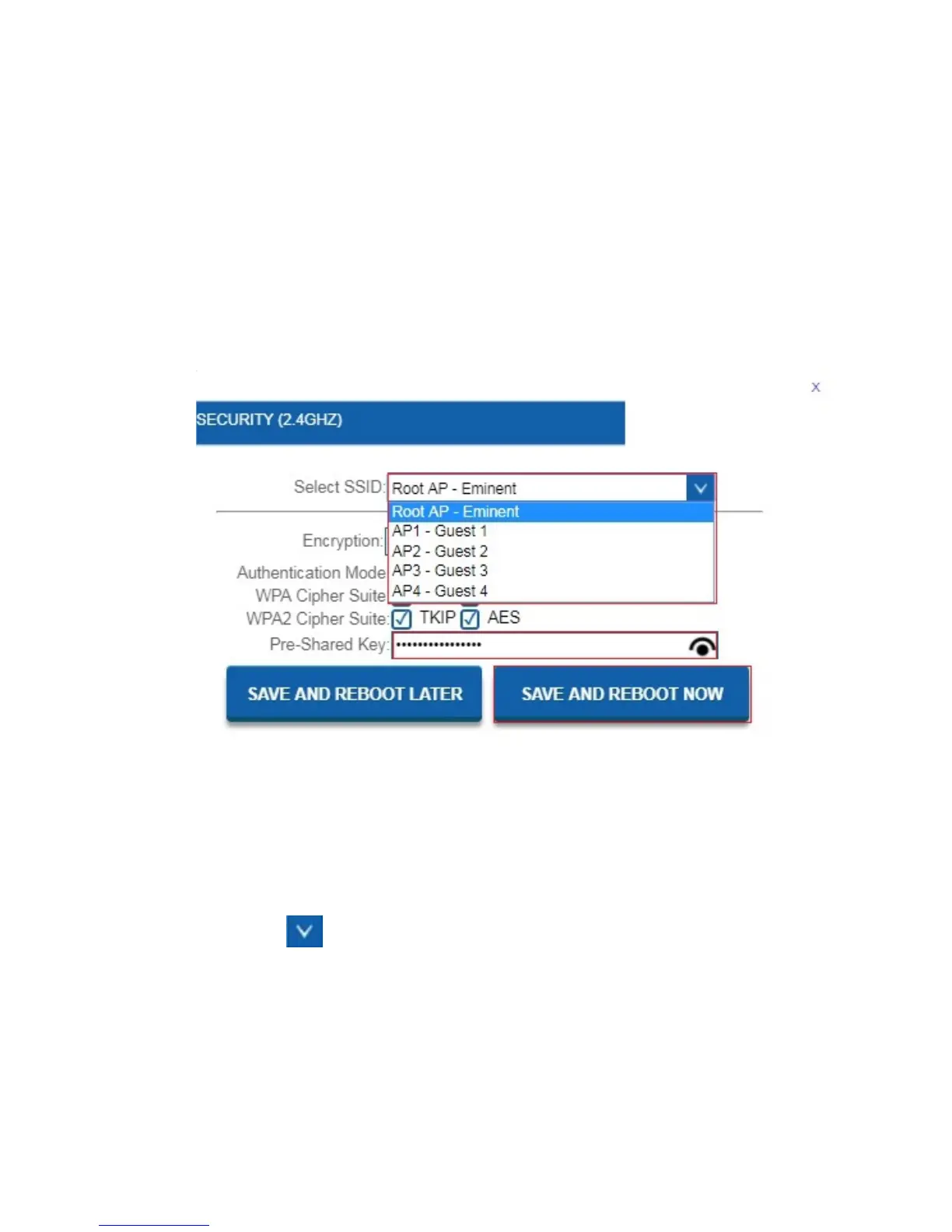
12. At the Wireless Settings page, click on “Security”. You will see the following
screen:
13. At the field “Select SSID” select the new made guest network by clicking the
down arrow
.
14. At the field “Pre-Shared Key” you can now add a password to secure the
selected guest network.
15. Once you have finished the settings, please select “SAVE AND REBOOT NOW”
The router will now reboot and save and apply the settings.



 To Next Page