7.0 Parental Control
With the Parental Control function you can add an internet rule so your children will
have limited time for internet surfing. You add the rule for a specific device with a
specific block and start time.
1. Launch your internet web browser on your computer and type http://192.168.8.1
in your browsers address bar.
2. Please enter the User Name: admin and Password: admin and then click on
“OK” button.
3.
From the left-hand menu, click on “Parental Control”.
4.
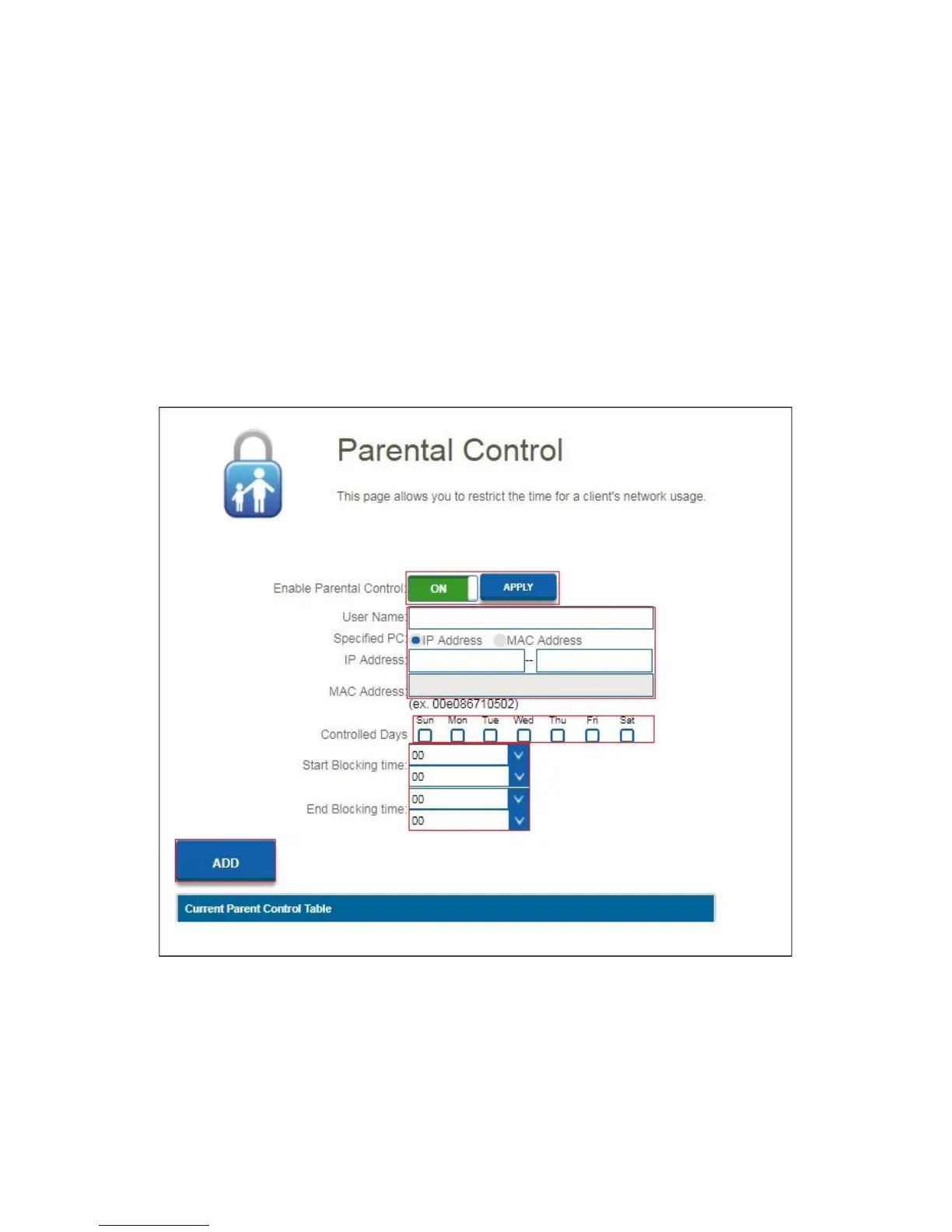
You will see the following screen.
5. Click on “Enable Parental Control” On/Off to enable the parental control
function. Click on “Apply”.
6. At the “User Name” field add for example the user name of your child or the
name of the device that will be used to rule.
7. For the specified device, add at the field “Specified PC” if you want to make the
rule by “IP-Address” or “Mac Address”. You can enter these details in the below
fields “IP-Address” or “Mac Address”.



 To Next Page