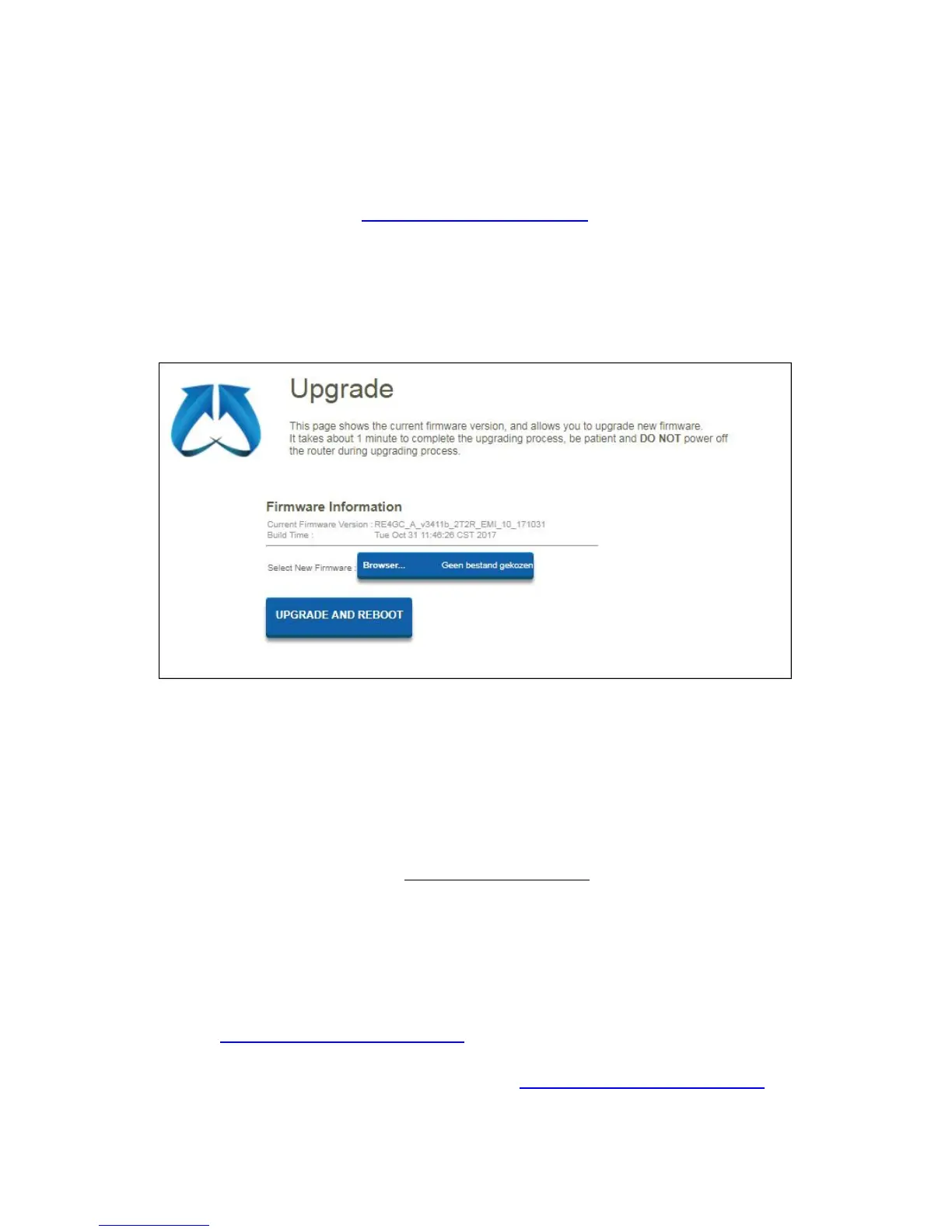
9.4 Upgrade
This page shows the current firmware version and allows you to upgrade to a newer
version.
You can check our website http://www.eminent-online.com
if there is a new FW
version available. Once available you can download the file and open the file via the
“Browse” button on the Upgrade page. Select the FW file which you have downloaded
and click on “Upgrade And Reboot”
This will take approx. 1 minute to complete the upgrading process. During this process
please do not power off your router.
10.0 Frequently Asked Questions and other
related information
The latest Frequently asked questions for your product can be found on the support
page of your product. Eminent will update these pages frequently to assure you have
the most recent information. Visit www.eminent-online.com
for more information about
your product.
11.0 Service and support
This user manual has been carefully written by Eminent’s technical experts. If you
have problems installing or using the product, please fill out the support form at the
website www.eminent-online.com/support
.
You can also contact us by phone. Please check www.eminent-online.com/support for
the helpdesk phone number and opening hours.



 To Next Page