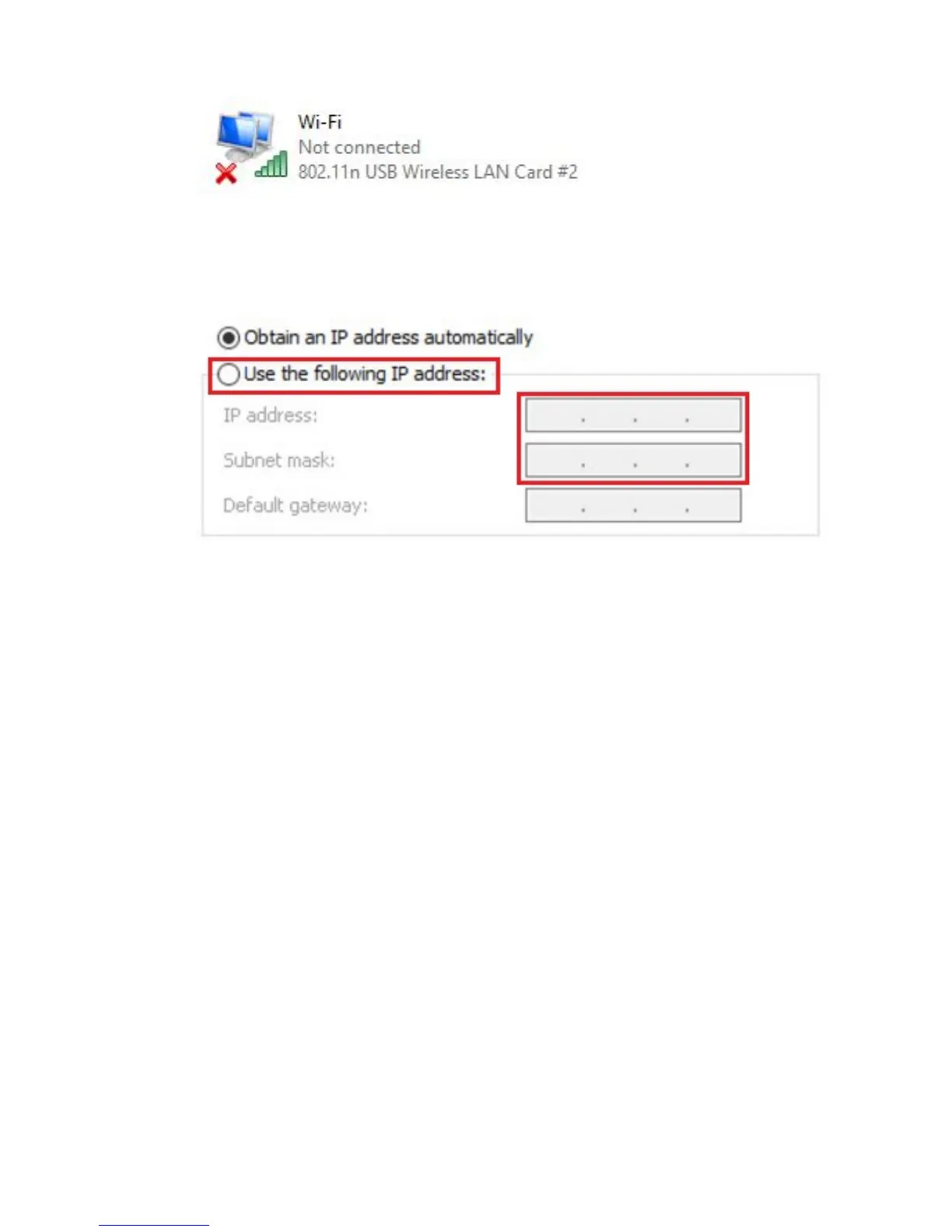
6. Select the network adapter you wish to add the static IP address and select
Properties with your right mouse button.
7. Select “Internet Protocol version 4 ( TCP/IPv4 ) and click on Properties.
8. Select “Use the following IP address” and make sure you enter an ip address in
the same range as the router.
9. For example: IP-Address = 192.168.8.100
10. For Subnet mask fill out: 255.255.255.0
11. Press “OK” and close the properties.
12. Launch your internet web browser on your computer and type http://192.168.8.1
in your browsers address bar.
13. Please enter the User Name: admin and Password: admin and then click on
“OK” button.
14. From the left-hand menu, click on “Home” and “Operation Mode”.



 To Next Page