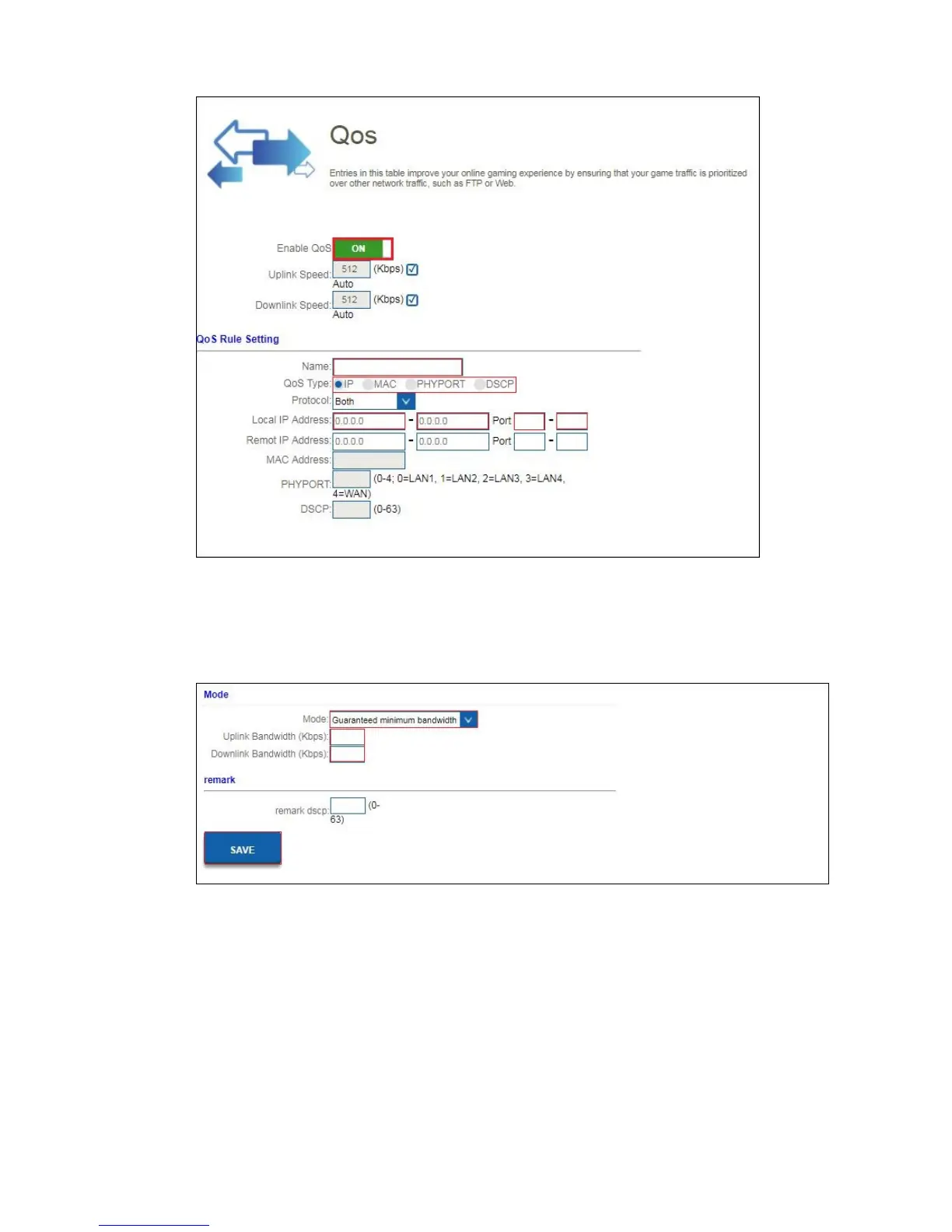
4. Enable “QOS”
5. Enter QOS Rule Name, for example PS4.
6. You have the option to make a QOS rule by “IP address”, “Mac address”,
“Physical LAN port” and “DSCP”.
7. Once you have made the selection, select a QOS “Mode”.
8. You can select “Guaranteed minimum bandwidth” so you are sure that your
QOS rule always have a minimum bandwidth. Or you can select “Restricted
maximum bandwidth” which means that this QOS will not exceed the maximum
bandwidth which will be setup for this QOS rule.
9. Once you have selected the mode, please enter the Up and Downlink
Bandwidth speed. This speed is listed in Kbps.
For example: 10Mbps = 10000Kbps
10. Click “Save” to add the QOS rule.



 To Next Page