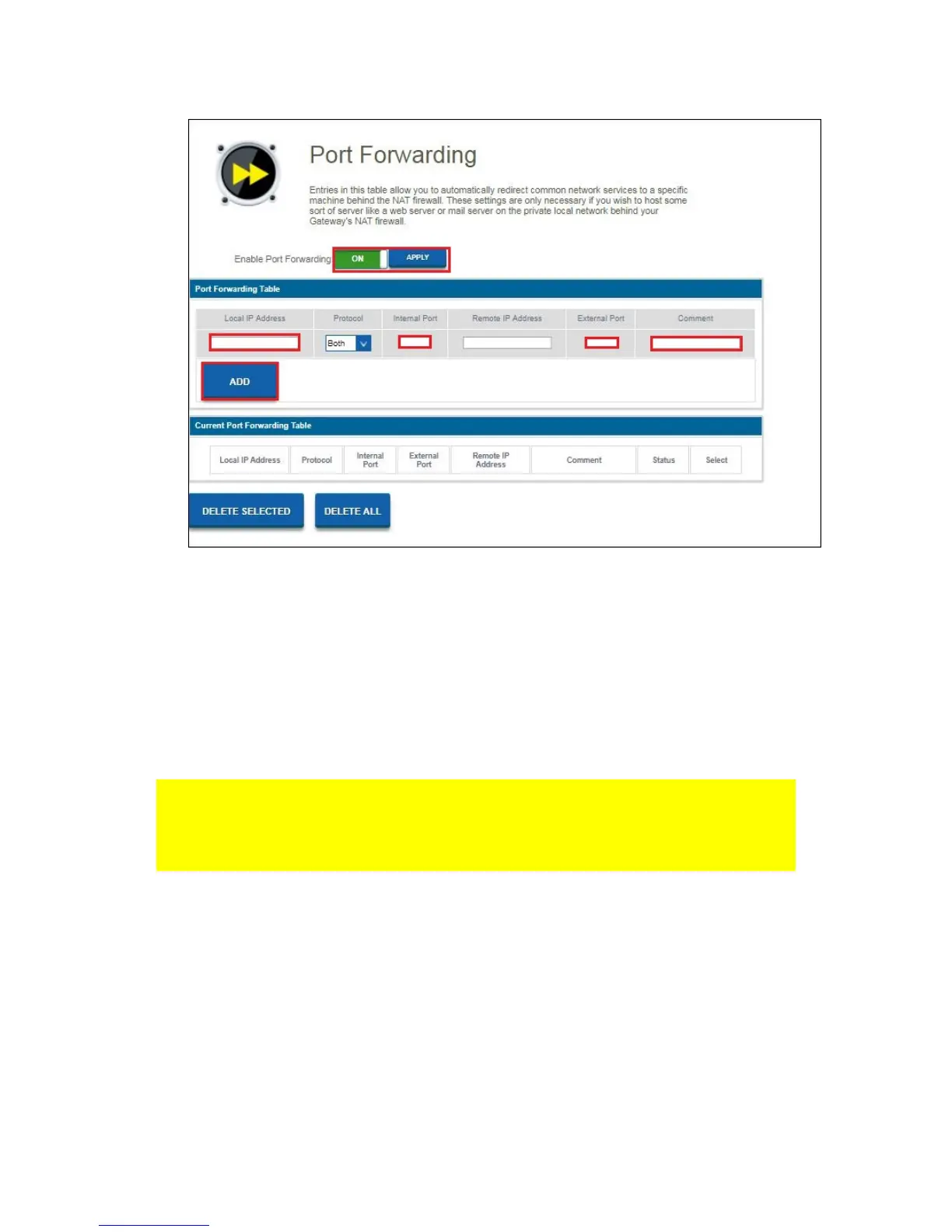
You will see the following screen.
2. Click the On/Off switch in the field “Enable Port Forwarding”. Click “Apply”
3. In the field ‘Local IP address” you can fill out the IP address of the computer for
which you want to open the specific ports.
4. Enter the port of the service that need to be forwarded in the field “Internal Port”.
5. Fill out the same port in the “External Port” field.
6. You can also add a comment so you always know why this Port needs to be
filtered.
7. Once you have finished the settings, click “ADD”.
Be aware, if you have connected your EM4700 behind another modem/router that
your External IP address first needs to be forwarded in your modem/router otherwise
your modem/router will still be the one that blocks the ports that you just have opened
through your EM4700.



 To Next Page