10
|
ENGLISH
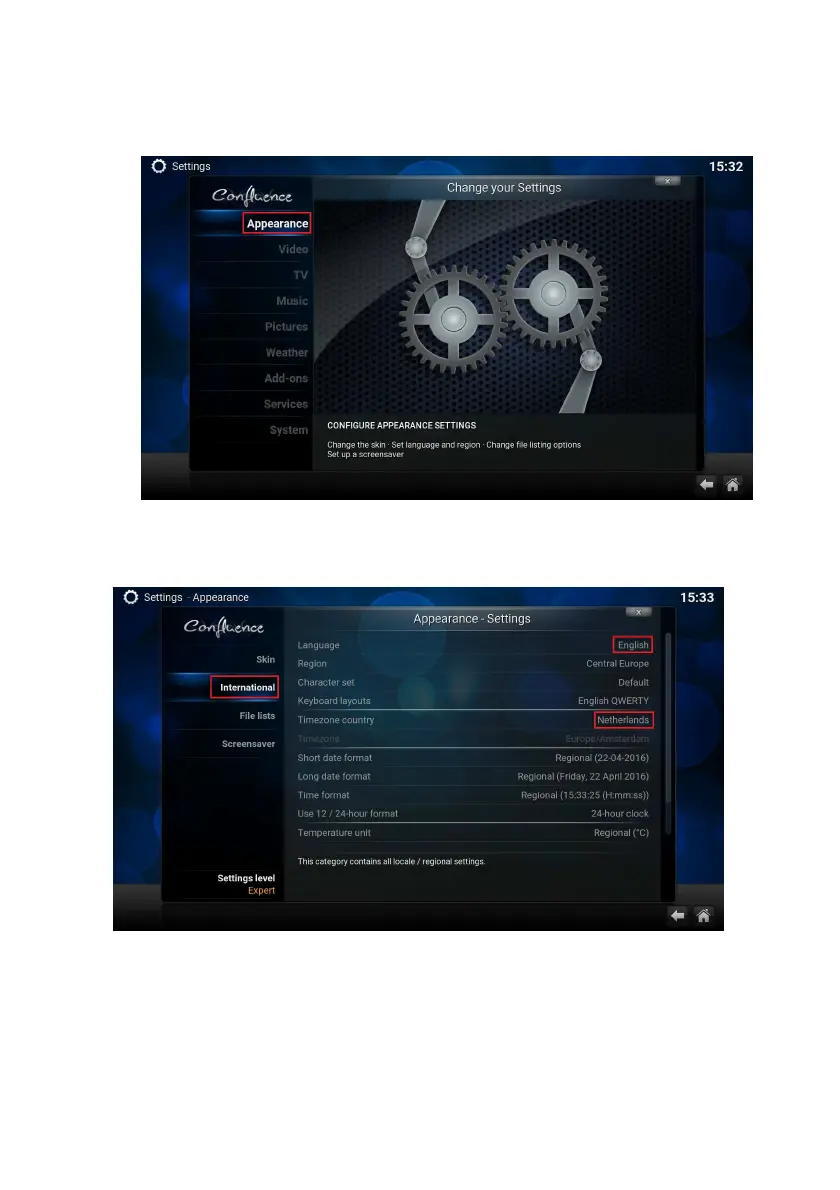
2. Click on ‘Settings’ with the ‘OK’ button on your remote control. The following
screen appears:
3. Select ‘Appearance’ and press the “OK’’ button on your remote control. The
following screen appears:
4. Select ‘International’. With the navigation buttons go to the right side and enter
‘Language’ with the ‘OK’ button.
5. Choose your desired Language and enter with the ‘OK’ button.
6. Use the navigation buttons again to go to “International”
7. You will notice that all settings for language will be automatically changed except
for time zone.



 To Next Page