5
|
ENGLISH
Green: Go to Video section.
Yellow: Go to favourites.
Blue: Go to pictures section.
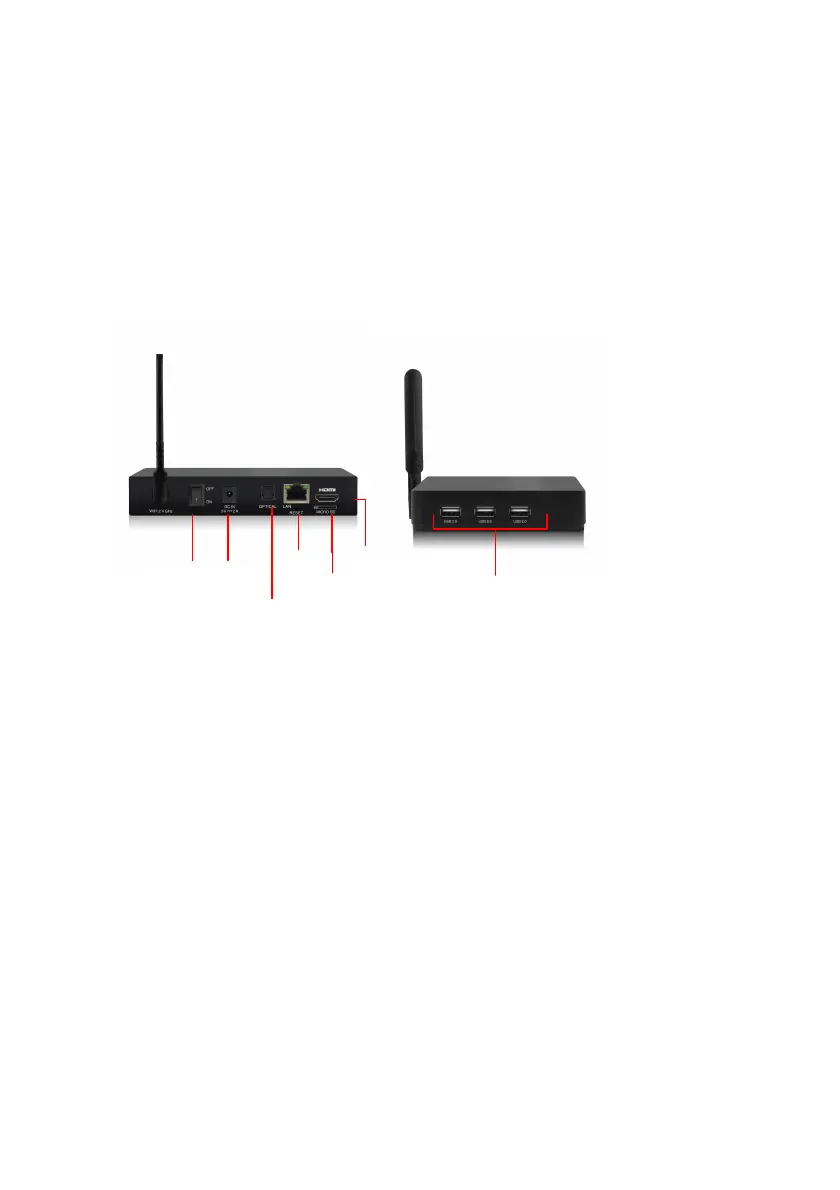
3.0 Explanation of the connections
3.1 Connections of the EM7580
• On/Off Switch.
• DC In: Connection for the power cable (5V).
• Optical S/PDIF connection: Audio connection to connect to your digital audio
receiver.
• LAN: Connection used to connect to your LAN network.
• Micro SD card reader: Connection for external memory cards such as Micro-SD
and Micro-SDHC cards.
• HDMI connection: HDMI High speed. Used to connect to your HD television or
HDMI AV receiver.
• USB 2.0 host: Used to connect USB devices such as a USB hard disk, USB
memory sticks, wireless keyboard and Wifi network adapters.
4.0 Connecting the TV streamer
1. Connect the HDMI cable to the HDMI connection of the EM7580 and connect the
other side of the HDMI cable to a free HDMI connection on your television.
2. Connect a network cable to the LAN connection of the EM7580. Connect the other
side of the network cable to your modem/router or switch.



 To Next Page