4
|
ENGLISH
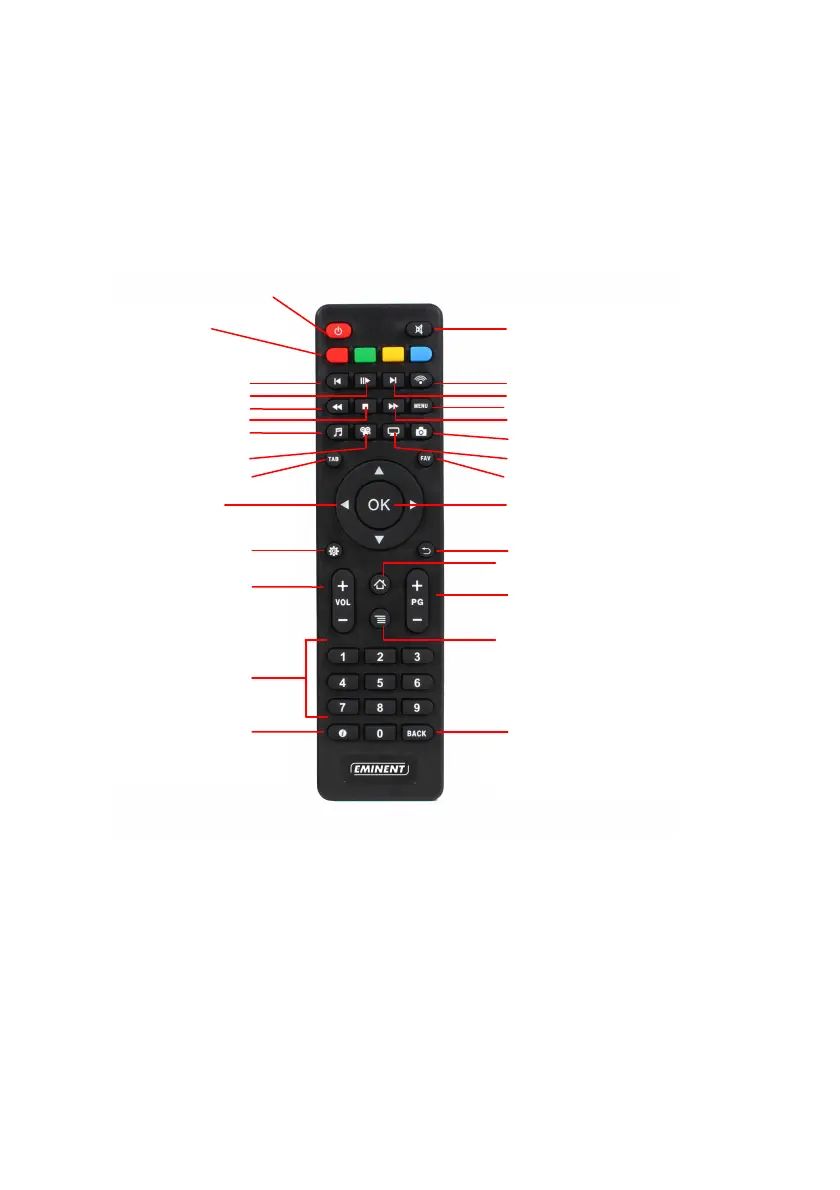
2.0 Explanation of the remote control
Coloured buttons description when video is playing:
Red: Subtitle search.
Green: In movie video settings.
Yellow: In movie audio & subtitle settings.
Blue: Bookmarks.
Coloured buttons description when Kodi has boot:
Red: Change the view how the icons will be displayed.
Coloured
Hotkeys. See the
below descriptions
10 sec. back in movie
Pause/play
Rewind
Stop
Go to Music section
Go to Video section
Go to the previous screen
Navigation keys
Go to Kodi Settings menu
Volume Up and Down
Numeric keypad
Audio offset
Mute
Go to OpenELEC settings
10 sec. forward in movie
In movie menu
Fast forward
Go to Pictures section
Go to TV shows
Show Favourites
Enter / confirm
Return to previous screen
Go to Home Screen
Subtitle offset
Drop-down settings menu
Return to previous screen/Delete text
Standby



 To Next Page