14
|
ENGLISH
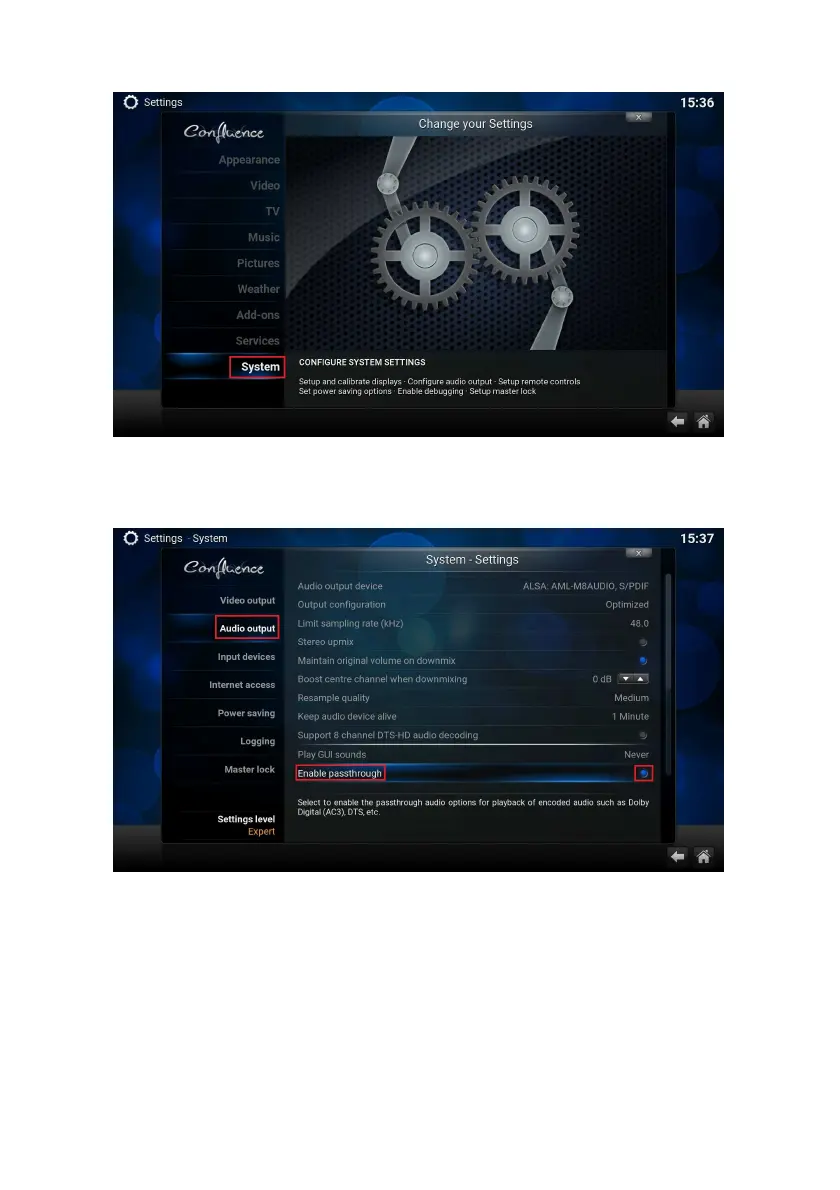
5. Navigate to “System” and enter with the “OK” button. Choose “Audio output”.
The following screen appears:
6. Navigate to “Enable passthrough” and click on the “OK” button to enable
passthrough.
7. The settings you have just changed are applicable when connected to an AV
Receiver or Home cinema set using a HDMI cable or an Optical cable.
8. Your EM7580 is now ready to play encoded files like Dolby and DTS through your
AV receiver.



 To Next Page