17
|
ENGLISH
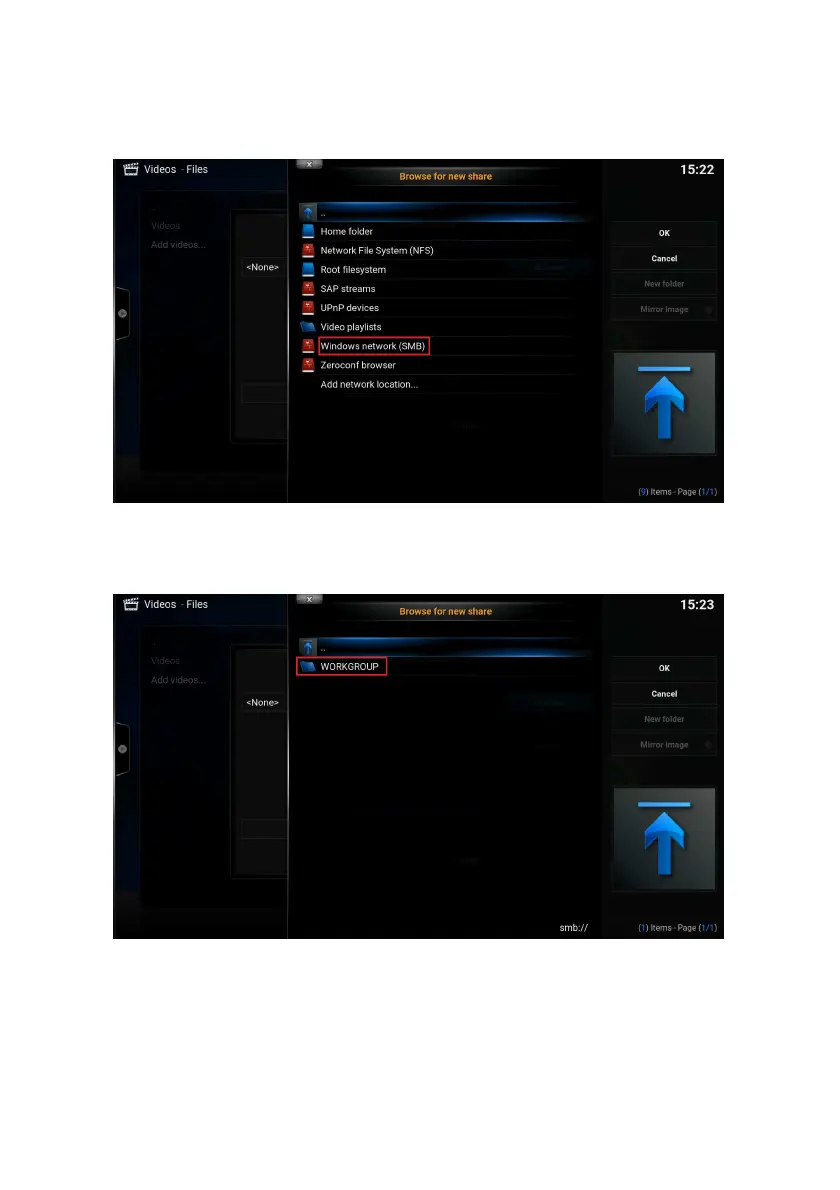
6. Select ‘Browse’ and press the ”OK” button on your remote control to add your
network share. The following screen appears:
7. Select ‘Windows network’ ( SMB ) and press the ‘OK’ button on your remote
control. The following screen appears:
The available workgroup(s) will be shown. Select the correct workgroup and press the
“OK” button on your remote control. The available Samba server(s) will be shown.
This may be for example your Windows PC or NAS.



 To Next Page