22
|
ENGLISH
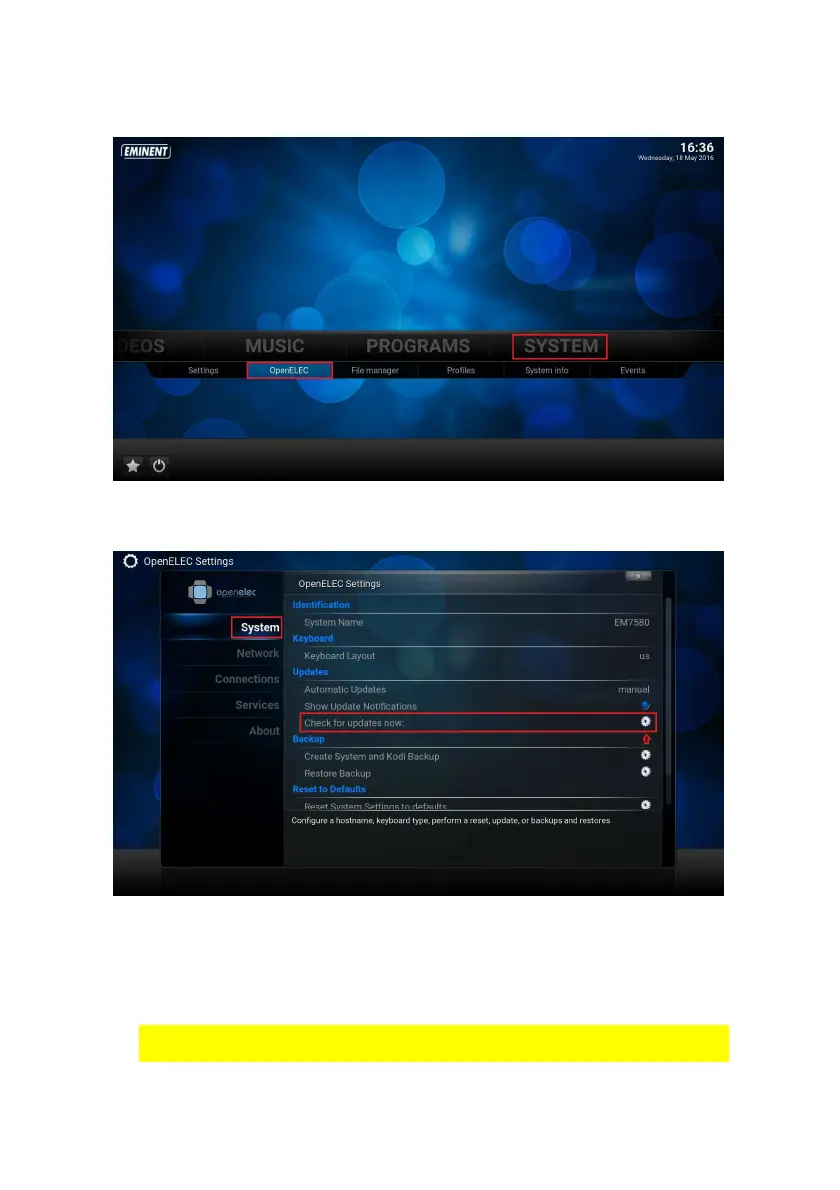
2. Use the navigation buttons to go to “System” and select “OpenELEC”.
3. Press the “OK” button on your remote control. The following screen appears:
4. Use the navigation buttons to go to “Check for updates now” and click the “OK”
button on the remote control. The new Firmware version will automatically pop up
if there is a new Firmware. Press “OK” to accept the Firmware upgrade.
5. The update will take about 5 – 7 minutes to download and install. *
* The duration of the Firmware “download” depends on the download speed of
your ISP( Internet Service Provider ) and/or modem/router speed.



 To Next Page