Page 13
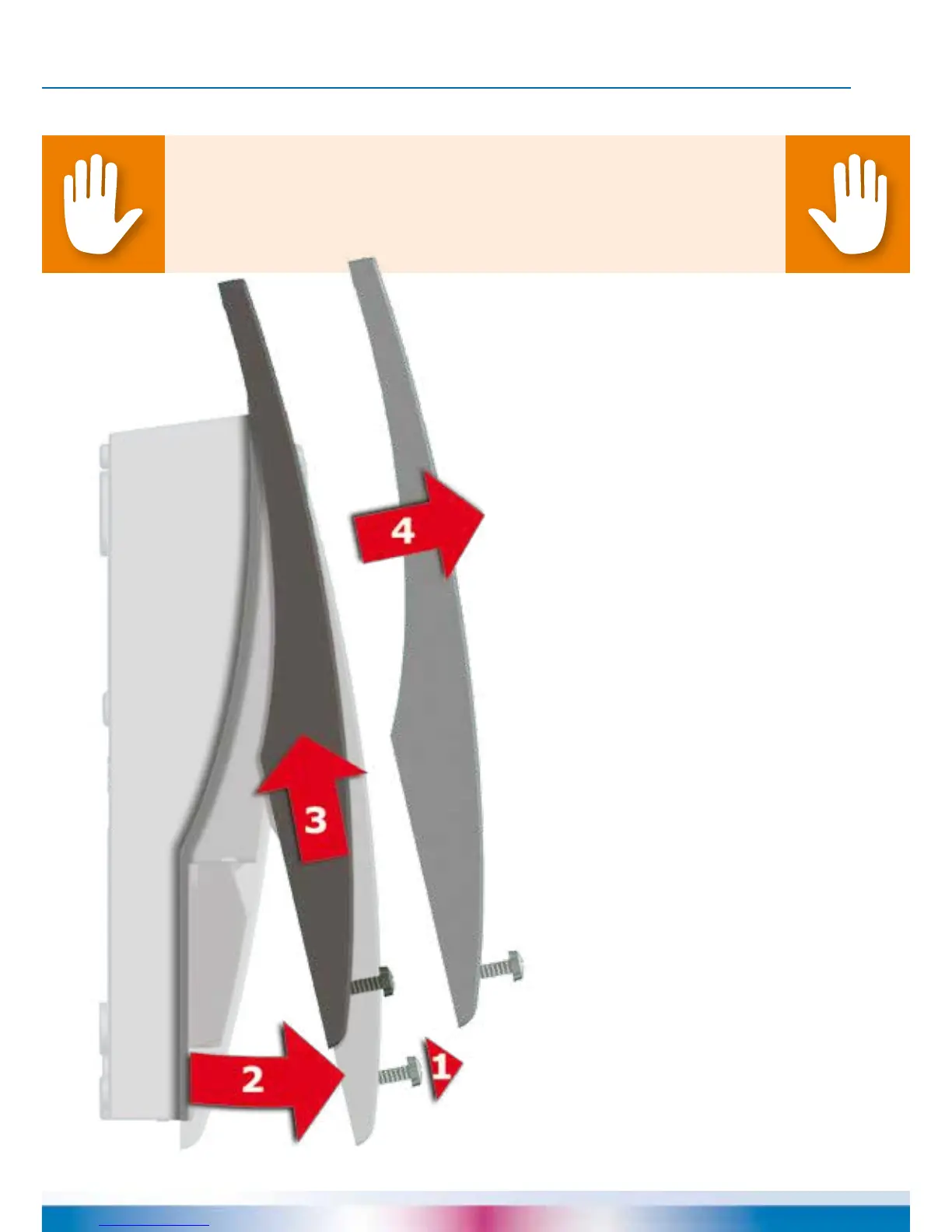
OPENING THE TERMINAL COVER
Danger!
Mortal danger due to electrocution! Whenever work is performed on the
open terminal cover, all poles of the power supply must be
disconnected reliably and protected against being switched on again!
1 Release the lock screw.
2 Swing terminal cover
forward ...
3 ... push it upwards ...
4 ... and remove it.
Store the terminal cover
carefully and protect
it against damage!
To close the terminal cover,
reverse the opening procedure.


 To Next Page