Page 46
System 1
04. 07. 2015 09:14
1
0.3 Outputs
04. 07. 2015 09:15
RO1
RO2
REL
Solar pump 1
---
---
Next
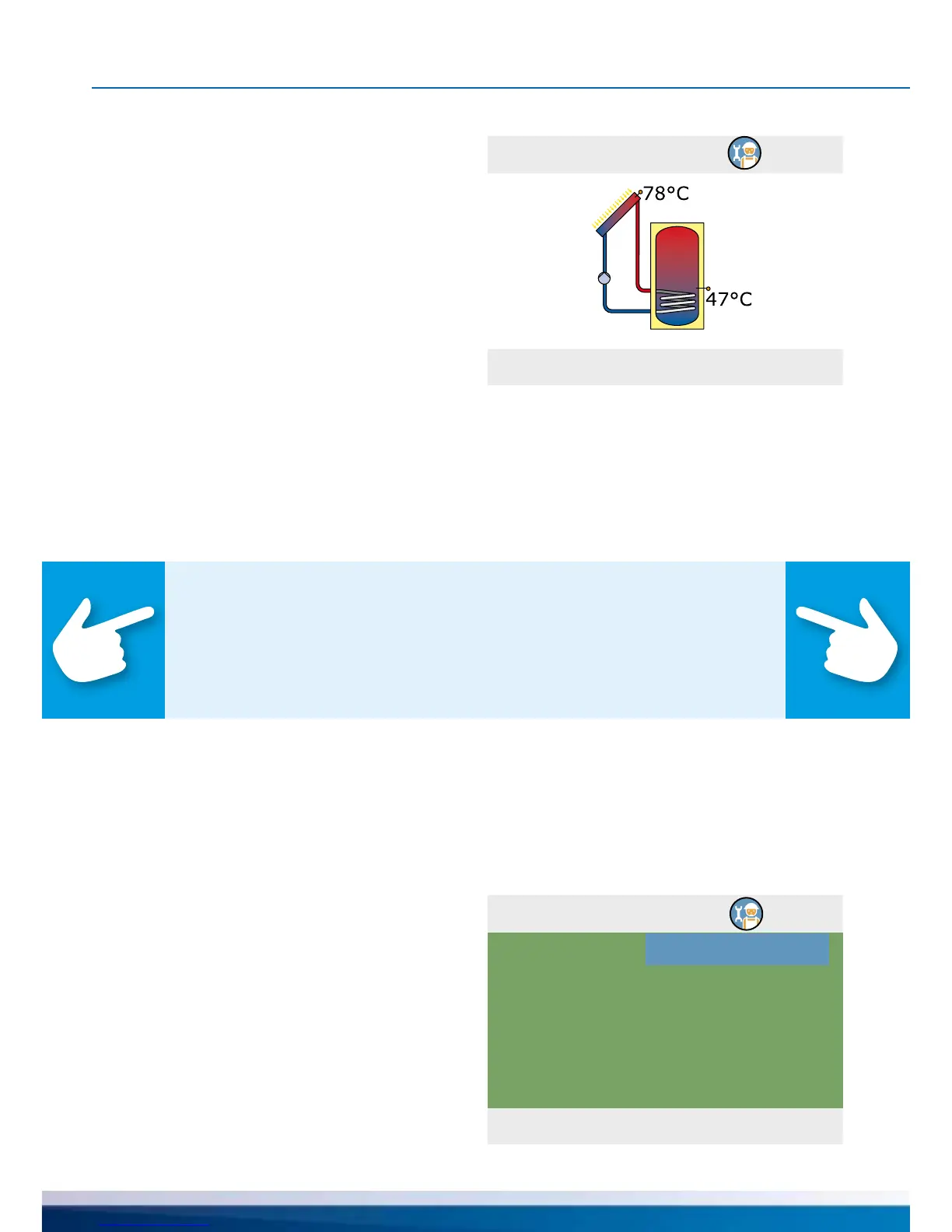
If you select „Choose system“, the graphic
illustration of a hydraulic system is shown.
Scroll through all available schemes using the
rotary encoder, select the illustrated scheme
by pressing the „OK“ button.
Then, any parameters relevant for the se-
lected scheme are queried.
The process when selecting „Free congura-
tion“ is in reverse order: rst, outputs and
inputs are allocated, then the controller offers
the corresponding schemes for selection.
›0.5 Outputs‹ appears.
Select and activate the output interfaces
RO1, RO2, REL used and assign them to
the selected function by scrolling.
The following assignment of outputs is of-
fered: Solar pump 1 / Solar pump 2 /
Heat exchanger p / Transfer pump / Bypass
valvev / Charge zone v / Tank ch.-over v 1 /
Tank ch.-over v 2 / Coll ch.-over / Boiler
Note!
Below is a description of the commissioning process on the basis of free
conguration. Free conguration should primarily be used for follow-up
commissioning which is similar or almost similar to the previous congu-
ration.
COMMISSIONING MODE


 To Next Page