Page 15
AUDIO IN.STREAM 2 (OPTIONAL)
If your
exercise system
has the optional in.stream 2 Bluetooth
w/subwoofer system. The following screens and functions will be
available on the swim area control panel:
AUDIO
The swim side control panel is used with the in.stream 2 audio
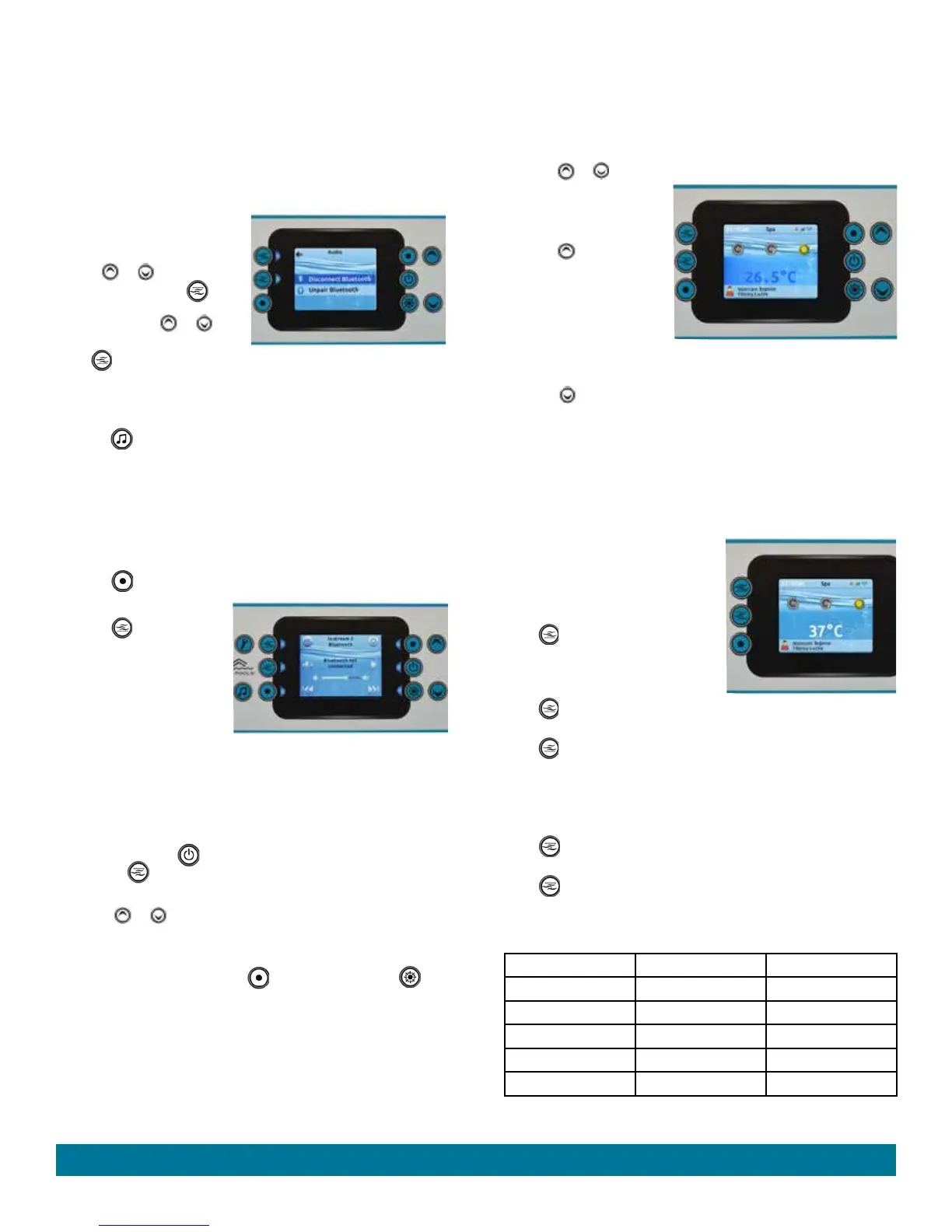
system. The Audio screen in the Settings menu gives you the option to
disconnect your Bluetooth enabled
device, adjust the Fader, Balance
or Sub Woofer.
Use the or buttons to scroll
to desired option, press
(middle left) lit button to select the
function. Press the or
buttons to change parameters.
Press (top left) lit button to take
you back to the main Settings menu.
IN.STREAM 2 FUNCTIONS
Press the button in the home screen to access your audio system.
If you are using a device with Bluetooth technology, it must be connected
for functions to work.
Please note that the Play/Pause and Change Track functions apply to
devices using Bluetooth technology only, and will NOT work when AUX
is selected as the source.
Turning power on/off
Press the
(top right) lit button to start the audio on or off process.
Selecting the source
Press the (top left) lit
button to select a source using
Bluetooth wireless technology
or AUX (aux is not available at
time of publication). Selection
will be indicated below In.
stream 2.
Pairing Bluetooth
Audio Power must be on. Go to the Bluetooth settings on your device
and find in.stream 2 and press to connect. Enter pin 5555 and press pair
to sync your device. NOTE: Only one device at a time can be synced.
Play/Pause audio
Press the Play/Pause (middle right) lit button to start or pause the
audio. Press (middle left) lit button to mute or enable sound.
Adjusting the volume
Press the or buttons to increase or decrease the volume
illustrated by the slider bar.
Changing tracks
Use the Last Track and Next Track (lower left) lit button or
(lower right) lit button to change tracks.
TEMPERATURE CONTROL
The set temperature range is from 15°C to 40°C (59°F to 104°F). (The
water temperature of any
exercise system
may rise or lower slightly
depending on the current use and condition of your
exercise system
and on outside temperatures.)
The set temperature of the
swim side
water will automatically be 29.5°C
(85°F) the first time power is applied. This is the setting programmed at
the factory. After the
exercise system
has been set up and used, the
last temperature value set by the user will be stored in memory. If power
is disconnected from the
exercise system
, it will automatically revert to
the last set temperature when power is reapplied.
To display the set temperature of the
exercise system
:
Press the or buttons on the control panel in the home screen.
To increase the set
temperature of the
exercise
system
:
Press the button in the
home screen. The set point
will appear in blue. After 3
seconds without any change
to the set temperature value,
the current water temperature
will reappear in white.
To decrease the set temperature of the
exercise system
:
Press the button in the home screen. The set point will appear in blue.
After 3 seconds without any change to the set temperature value, the
current water temperature will reappear in white.
JETS CONTROL
When pressed, the top two buttons on the left of the screen will activate the
jets when in the home screen. If left running the low or high speed pumps will
automatically turn off after 2 hours.
SWIM JETS - TOP 3 JETS
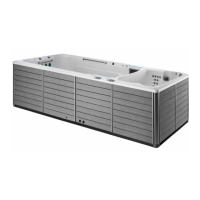
The SWIMCROSS Exercise System
uses a 2.5 Horsepower two speed
pump to power the top 3 swim jets.
Press jet button to activate the top
row of jets (swim area) in low speed,
you will see the jet 1 icon on the screen
rotate slowly.
Press jet button a second time to activate the top row of jets in high
speed, you will see the jet 1 icon on the screen rotate faster.
Press jet button a third time to shut the top row of jets off.
SWIM JETS - BOTTOM 2 JETS
The SWIMCROSS Exercise System uses a 2.5 Horsepower single
speed pump to power the bottom 2 swim jets.
Press jet button to turn the bottom row of jets in the swim area on,
you will see the jet 2 icon on the screen rotate fast.
Press jet button a second time to shut the bottom row of jets off.
SWIM JETS SPEED OPTIONS
There are 5 different Swim Jet options that can be created as follows:
Speed Option Top 3 Jets Bottom 2 Jets
1 High On
2 Low On
3 Off On
4 High Off
5 Low Off
Operating Instructions


 To Next Page