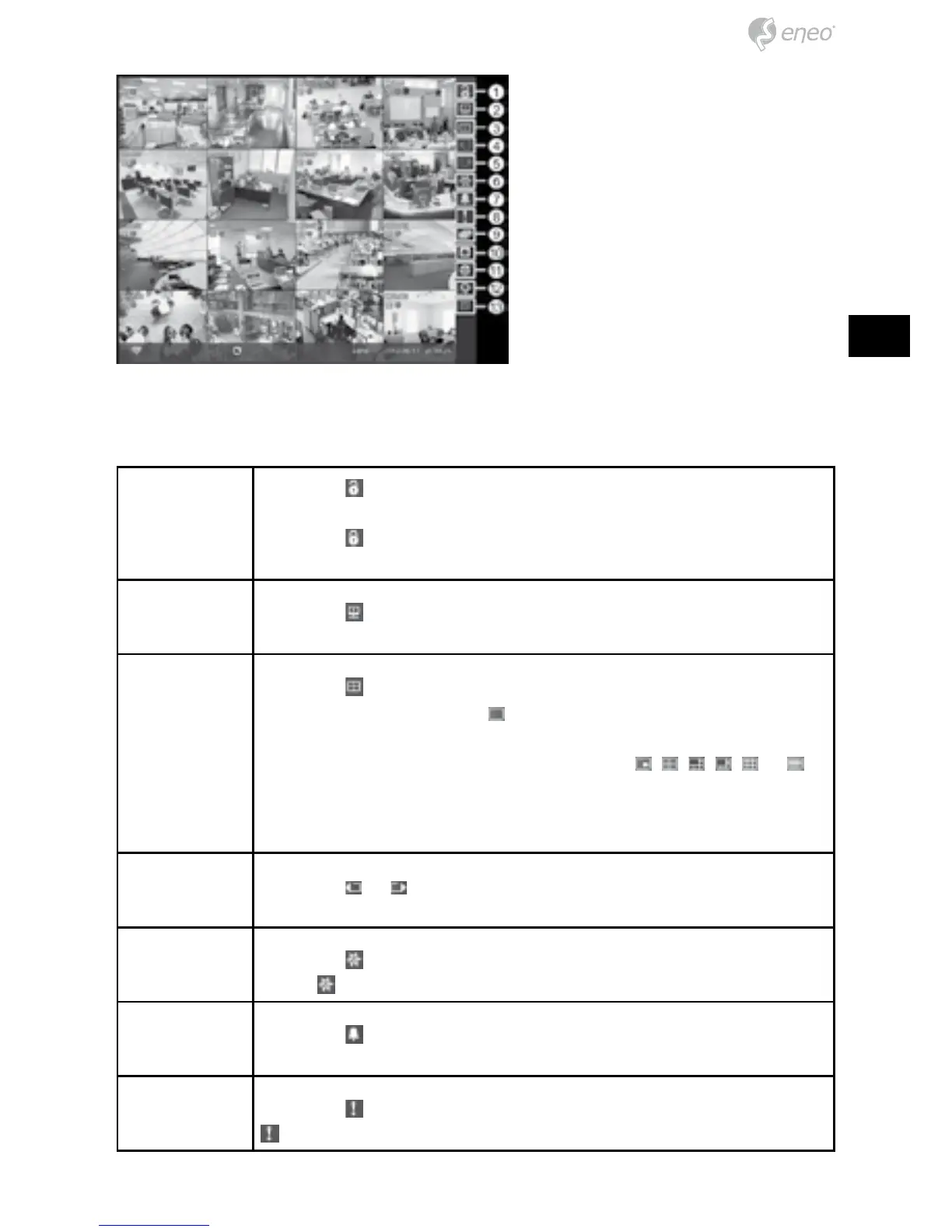
① Login/Logout
② Monitor
③ Display
④ Previous Group
⑤ Next Group
⑥ Freeze
⑦ Alarm
⑧ Panic
⑨ Sequence
⑩ Camera Menu
⑪ Search
⑫ Setup
⑬ Status
Login/Logout Selecting accesses the Login screen, and you will be asked
to select a User and enter the password to log into the system.
Selecting
displays the Logout screen asking you to confirm
whether or not you want to log out the current user.
Monitor Selecting will allow you to select the monitor from Main Monitor
and Spot Monitor.
Display Selecting displays the Display Menu.
• Full Screen: Selecting
and choosing the camera number
button displays the selected camera full screen.
• PIP, 2x2, 1+5, 1+7, 3x3, 4x4: Selecting
, , , , or
displays the cameras in the selected multiview screen mode.
• Camera/Status OSD: Selecting Camera OSD or Status OSD
toggles Camera OSD or Status OSD On and Off.
Previous/Next
Group
Selecting
or moves to the previous or next page.
Freeze Selecting will freeze the current image on the screen until you
select
again.
Alarm Selecting
resets the DVR’s outputs including the internal buzzer
during an alarm.
Panic Selecting starts panic recording of all cameras, and selecting
again stops panic recording.



 To Next Page