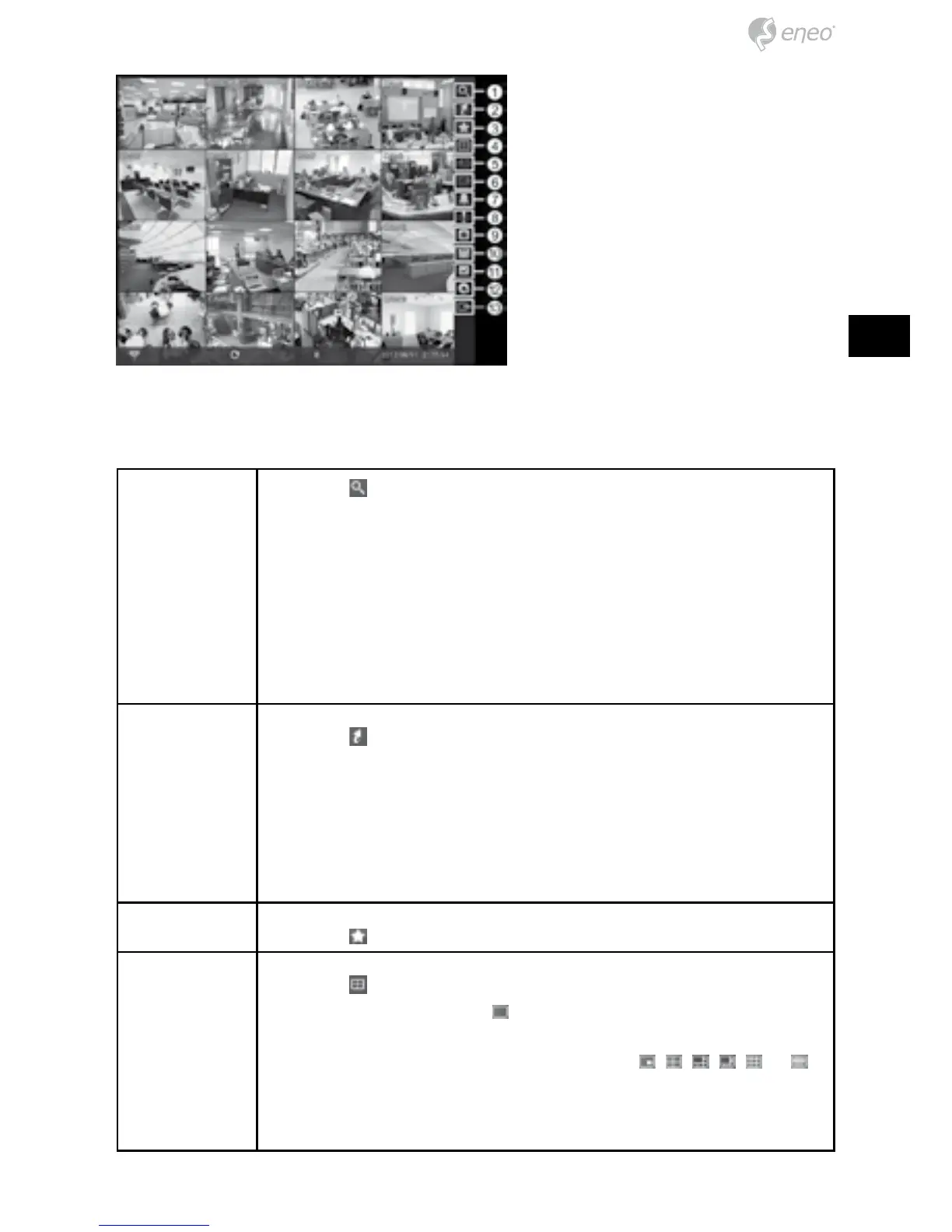
① Search
② Go To
③ Bookmark
④ Display
⑤ Previous Group
⑥ Next Group
⑦ Alarm
⑧ Panic
⑨ Camera Menu
⑩ Export
⑪ Status
⑫ Data Source
⑬ Exit
Search Selecting displays the Search menu.
• Event Log Search: Selecting Event Log Search selects video
from the event log.
• Record Table Search: Selecting Record Table Search selects
using a recording table.
• Motion Search: Selecting Motion Search selects motion
events.
• Text-In Search: Selecting Text-In Search selects text input
strings.
Go To Selecting
displays the Go to menu.
• Go to the First: Selecting Go to the First displays the first
recorded image.
• Go to the Last: Selecting Go to the Last displays the last
recorded image.
• Go to the Date/Time: Selecting Go to the Date/Time allows
you to set the date and time you want to search for video.
Bookmark Selecting
adds the current playback point to the bookmark list.
Display Selecting
displays the Display Menu.
• Full Screen: Selecting
and choosing the camera number
button displays the selected camera full screen.
• PIP, 2x2, 1+5, 1+7, 3x3, 4x4: Selecting
, , , , or
displays the cameras in the selected multiview screen mode.
• Camera/Status OSD: Selecting Camera OSD or Status OSD
toggles Camera OSD or Status OSD On and Off.



 To Next Page