EasyManua.ls Logo

EnerSys NexSys+ NIP3 - LOGS AND CHARGE HISTORY; Memorizations Display and Data Fields

EnerSys NexSys+ NIP3
47 pages
Print Icon
To Next Page IconTo Next Page
To Previous Page IconTo Previous Page
Loading...
NexSys
®
+
Owner’s Manual
AM-NXSPLUS-OM
Rev AC October 2018
17
LOGS
Memorizations Display Screen
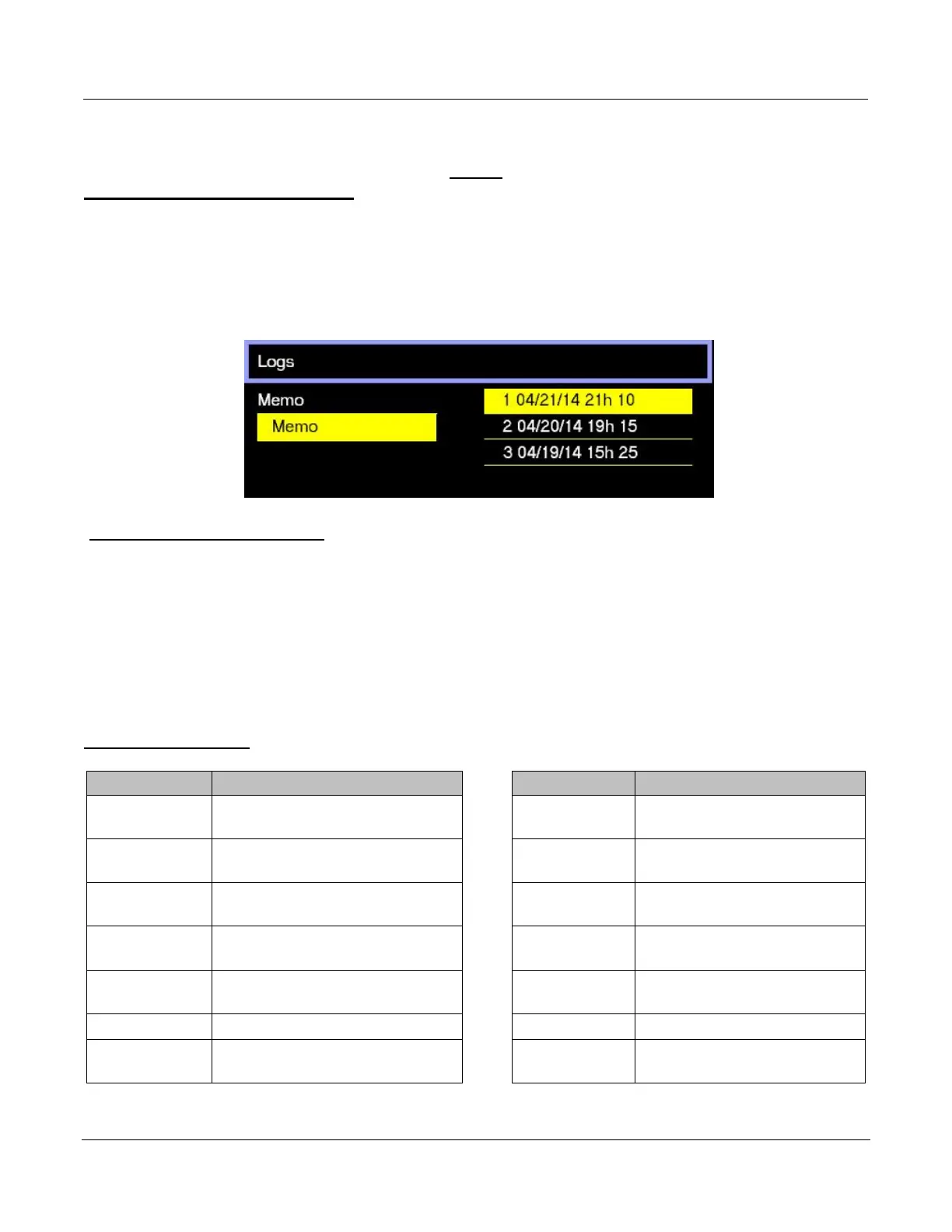
The charger can display the details of the last 300 charge cycles.
The display here shows 3 charges have been stored in memory. MEMO 1 is the latest charge
memorized. After memorizing the three-hundredth charge, the oldest record is deleted and
replaced by the next oldest.
Displaying a Charge Cycle
Proceed as follows:
1. Select a record (MEMO x) using the ▲/▼ buttons.
2. Display the first History screen by pressing Enter.
3. Display the second History screen by pressing.
4. Return to the Main Menu by pressing Esc.
The charge history is displayed; use the ▲/▼ to scroll through the parameters.
Memorization Data

Memo
Description
Memo
Description
S/N
Wi-iQ
®
device serial
number
I end
Current at end of charge
Capacity
Rated battery capacity (AH)
Temp end
Battery temperature at
end of charge (F)
U batt
Rated battery voltage (V)
Chg Time
Time of the charge cycle
(minutes)
Temp
Battery temperature at start
of charge (F)
AH
Amp-hours returned
during charge cycle
Techno
Battery technology
kWh
Kilowatt-hours returned
during charge cycle
Profile
Selected profile
Status
Partial or Complete
% init
State of charge at start of
charge (%)
Default
Fault codes

Table of Contents

Related product manuals