7User instructions
EN
Overpressure (replace) mode
If you are going to light the replace, you may need to
use the overpressure function.
WARNING
WARNING: The overpressure mode is primarily
intended to be used only when lighting the
replace, not for providing supply air to the
replace.
TIP: Unnecessary use of the overpressure
function leads to waste of energy.
To select:
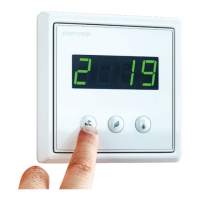
1. Press the Mode button for 3 seconds.
The display shows rst briey text on and then
F-PL.
To return to Home mode:
1. Press the Mode button for 3 seconds.
The display shows rst briey text oFF and then
the display returns to the basic view.
NOTE: The Overpressure mode is set for
duration of 10 minutes and can be selected
maximum 2 times a day. When time is expired
the system returns to the previous mode.
NOTE: The Overpressure mode can be set also
by an external replace push button switch (if
installed).
Heating mode
The Heating mode uses the built-in heater to warm up
the supply air.
To select:
1. Press the Temperature button for 3 seconds.
The display shows briey texts HEAt and on and
then the display returns to the basic view.
To return to Home mode:
1. Press the Temperature button for 3 seconds.
The display shows briey texts HEAt and oFF and
then the display returns to the basic view.
NOTE: The heater is not used to warm the
supply air if the outside temperature is over
+ 25 °C.
Eco mode
Selecting Eco mode for your ventilation system means
that you allow the system to make slight changes to
the dened temperature and ventilation values to
save energy. In Eco mode, the system will not react to
temperature changes as quickly as in normal mode,
but waits awhile to see where the temperature is going
before it starts heating or cooling the incoming air.
This green choice will not signicantly aect your
comfort level, but will save you money.
To select:
1. Press the Eco button.
The display shows briey text ECO and then on
and then the display returns to the basic view.
The ventilation system adjusts itself to the new
setting.
To return to Home mode:
1. Press the Eco button.
The display shows briey text ECO and oFF and
then the display returns to the basic view.
NOTE: The selected Eco mode switches o if
the outside temperature rises over + 25 °C and
switches back on when the outside temperature
sinks below + 25 °C.
USING VENTILATION
EFFICIENTLY
Properly designed and used ventilation saves money
and energy. It also promotes the health of both the
living environment and its inhabitants.
• Always operate the ventilation system according
to the plan specically designed for your premises,
throughout the year.
• Clean or replace the lters when prompted and
vacuum the insides of the unit regularly.
• Open the ventilation unit hatch and take a peek
regularly, for example once a month.
• Dust and other impurities in the air can get the
equipment very dirty. The dirt blocks the lters
and sticks onto the heat exchanger, which makes
ventilation inecient.
• Use the special modes, such as Overpressure only
when really needed.
• Using the special modes unnecessarily increases
your energy consumption.


 To Next Page







