8
• Instead or in addition to adjusting your ventilation
system to achieve comfort, you can also use more
traditional methods:
• For example, having the curtains and windows
closed on a hot day to keep the sun out, or
dressing up more warmly on a cold day saves a
lot of energy.
• Only use spare parts approved by Enervent.
• Only use original lters. They are designed to
give maximum performance for your ventilation
system.
• Use the Eco mode ventilation system to help you
save energy and money without compromising
the quality of indoor air.
Using ventilation in cold season
CAUTION
CAUTION: Turning down your ventilation
system may cause serious damage to the
structure of your house.
Do not turn the ventilation down or o even if the
outside temperature falls. Instead of saving you money,
it may cost you even more. Your ventilation system has
been designed by a professional system designer. The
design of the system and the equipment make sure
that changes in the outside temperature have been
taken into consideration. If there are no changes to your
daily routines, there is no need to adjust the ventilation
system.
If you turn down the air ow during cold weather you
increase the risk of ice build-up in your ventilation
unit. This risk is higher during extreme freezing out
conditions and with high indoor humidity (extensive
shower use and lots of drying laundry).
If the ventilation system design needs updating,
contact your system designer.
ENHANCED FEATURES
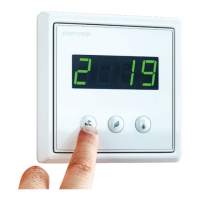
Information view
You can view the active functions from eWind Info list
shown in the information display.
eWind Info list
To select:
1. Press the Eco and Temperature buttons
simultaneously once.
• A parameter (n1..nn) is shown in the display.
2. Press the Mode or Eco buttons to scroll the
parameter list up or down.
To return to the basic view:
1. Press the Eco and Temperature buttons
simultaneously once.
NOTE: Without input the menu closes after 5
minutes and the panel switches back to basic
display.
eWind Info list
Designation Explanation
n0 Basic mode in use.
n1 Ventilation boosted by %RH.
n2 Ventilation boosted by CO2 .
n3 Heat recovery in use.
n4 After-heating by electrical or water
coil in use.
n5 Outside air pre-heating by CHG/AGH
or electrical pre-heater in use.
n6 Supply air cooling by CG, CHG or AGH
in use.
n7 Cool recovery by rotating heat
exchanger in use.
n8 Ventilation manually boosted.
n9 Away mode in use.
n10 Rotor dehumidication in use.
n11 Defrosting in use.
n12 Eco mode in use.
n13 Service reminder; Days remaining to
next lter change.
n14 Unit starting up.


 To Next Page







