28
Control system and eAir control panel
The ventilation unit is controlled by a built-in eAir
control system and an eAir control panel. The control is
congured at the factory, but the commissioning must be
done at the installation site.
Commissioning the eAir control panel
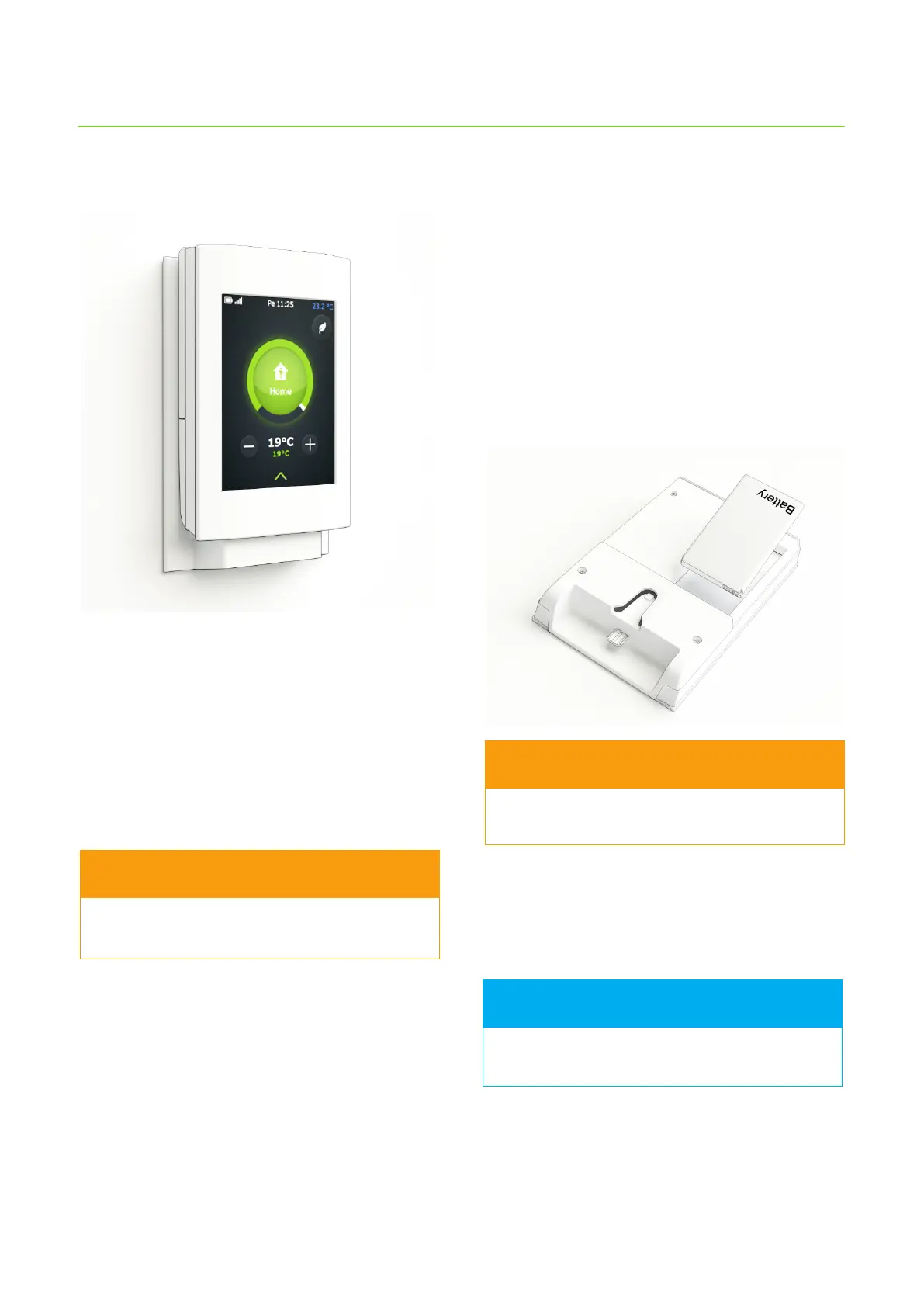
The eAir control panel is used for conguring the
ventilation system controls and for managing ventilation.
4. Close the battery box cover.
Charging the control panel
1. Set the panel in the wall mount.
Battery begins to charge. Charge the battery for 24
hours before starting the setup wizard.
The control panel can be charged with a micro-
USB charger (not included in the delivery).
FOR INFORMATION
Do not damage the control panel screen with a
sharp or scratching object.
WARNING
Installing the battery
The battery is not installed inside the control panel when
delivered. It must be put in place before charging the
panel.
1. Open the battery case cover from the backside of the
control panel.
2. Remove any possible protective tape from the
battery terminals.
3. Slide the battery in place.
Insert the battery the right way around so that it
does not damage the connectors!
WARNING



 To Next Page