29Installation instructions for professionals
Important information on
the control system
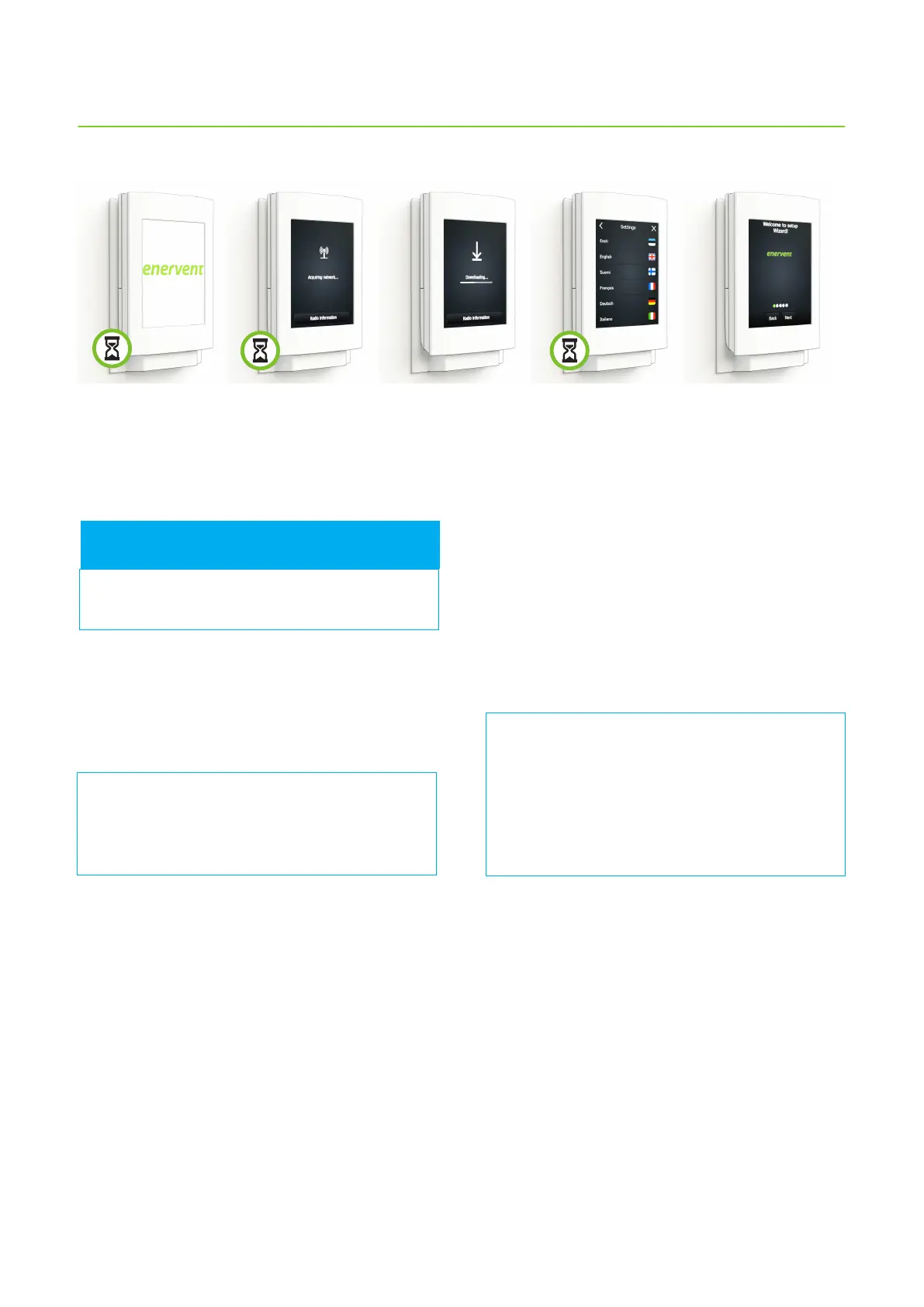
The setup wizard is intended to make the commission
of the control panel easier. The function goes through all
the settings needed when commissioning the ventilation
system.
Note: The code for the setup wizard and the
system settings is 6143.
All settings are congured with the setup wizard.
The settings can be reviewed in the Settings
menu, but the settings aecting fan speeds
cannot be changed from there.
Running the setup wizard in one panel is enough
even if you have two panels connected to the
ventilation unit. Switch the power on in the other
panel once you have congured the settings. The
panel prompts which language you want to use,
and retrieves the rest of the information from the
ventilation unit´s motherboard.
FOR INFORMATION
Returning to setup wizard
If the complete setup wizard is not completed the rst
time, it will automatically restart every time the machine is
switched on, and the settings can be nalized.
If you have nished the function and want to change
the settings, open the wizard by tapping the arrow at
the bottom of the start screen, and then selecting Setup
wizard. Enter the code 6143.
If you need additional help in conguring the settings, tap
the target text for more instructions.
Factory settings are basic values that are suitable in most
cases. Naturally this does not apply to the fan speed
settings for the dierent modes, because air ows must
be congured and set on a house-by-house basis. Any
other values do not usually need to be changed, unless
instructed so in the ventilation planning.
All the settings congured with the wizard are active
immediately.
The changes are automatically saved in the unit’s long-
term memory once the wizard is nished for the rst time.
In the following operation times the changes are saved
by answering “Yes” when the function asks whether or not
the save the changes.
1-2 min
The setup wizard starts automatically when the ventilation system is powered up for the rst time.



 To Next Page