22
Step 2
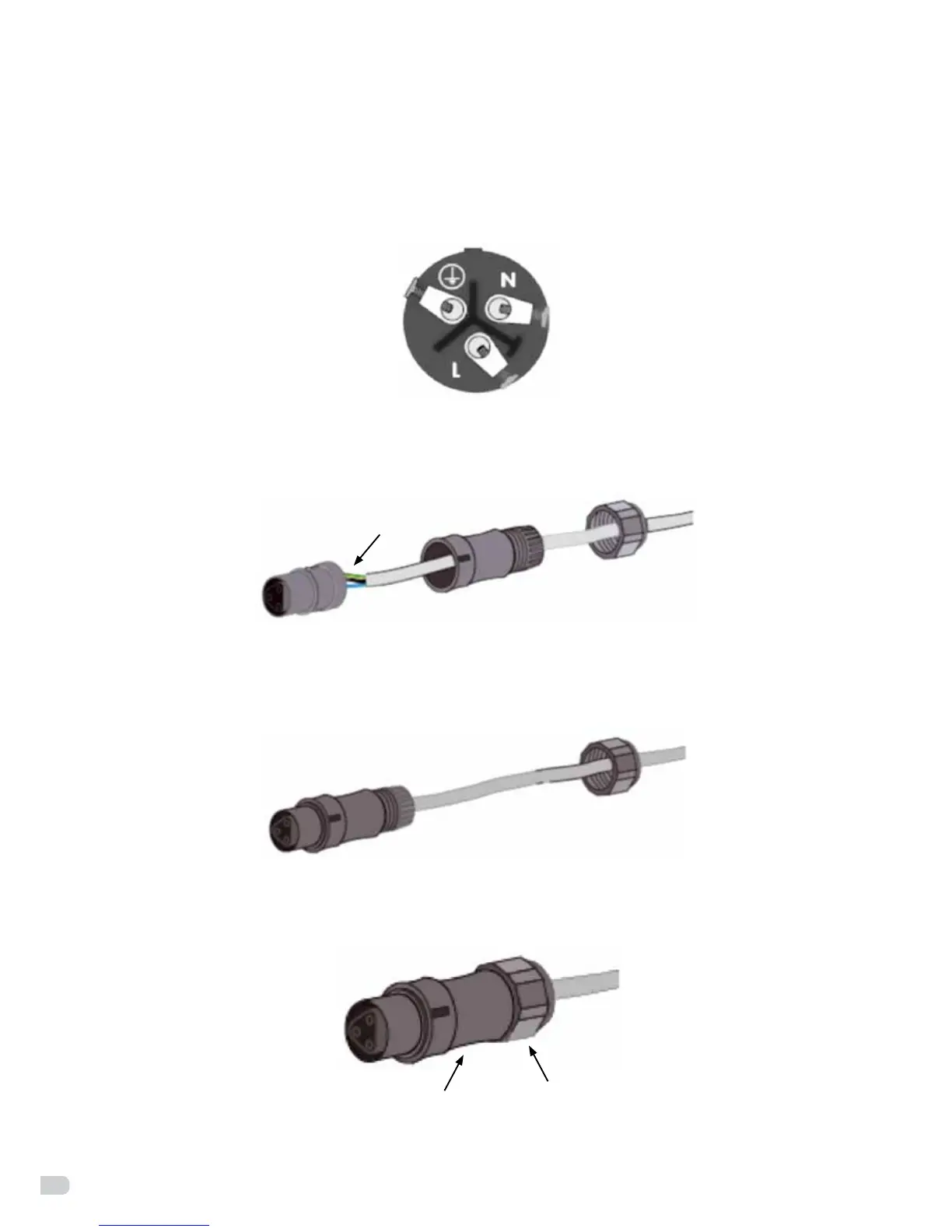
Wire the AC wire refer to below instructions.
• Screwthegreen-yellowwiretothegroundterminatorintheACconnector(seegure21).
• ScrewthebluewiretotheN(Neutral)terminatorintheACconnector.
• ScrewtheblackorbrownwiretotheL(Line)terminatorintheACconnector.
Figure 21: AC connector
Step 3
Check that all wires are well fixed (see figure 22).
connected wires
socket element
threaded sleeve
pressure screw
Figure 22
Step 4
Screw down the threaded sleeve (see figure 23).
socket element with
threaded sleeve
pressure screw
Figure 23
Step 5
Screw down the pressure screw (see figure 24).
socket element with
threaded sleeve
pressure screw
Figure 24


 To Next Page