28
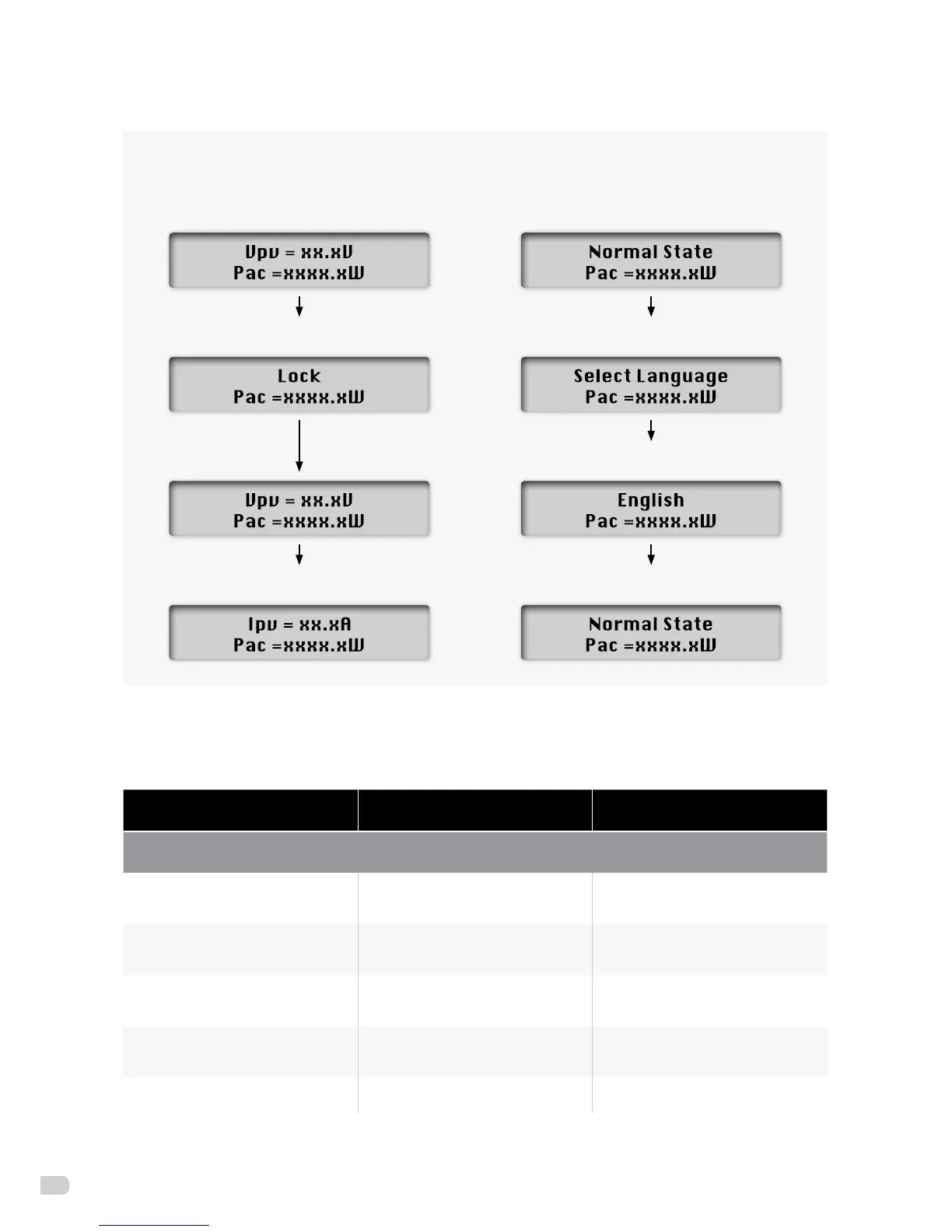
(Press the Function key to check data, it will go back to initial state after 10 seconds)
Lockupfunctionasbelow: Languagesettingfunctionasbelow:
Press the Function key for 5
seconds, it will be locked
Press the Function key for 9 times,
it will display the language setting
Press the Function key for 5 seconds,
then choose which language you want
Press the Function key,
it will go to next state
Wait for 10 seconds,
it will go back to initial state
7.3 LCD information
Operating state Information display Description
Working condition
Power O No display
DCinputvoltage<70V,
inverter will stop working
Initialization&Waiting Waiting
70V<DCinputvoltage≤150V
is standby mode
Checking Checking
Input voltage >150V is grid
checking mode
Normal State Normal State
Inverter is working in
grid-tied mode
Flash Flash Upgradingsoftware


 To Next Page