32
• Connections
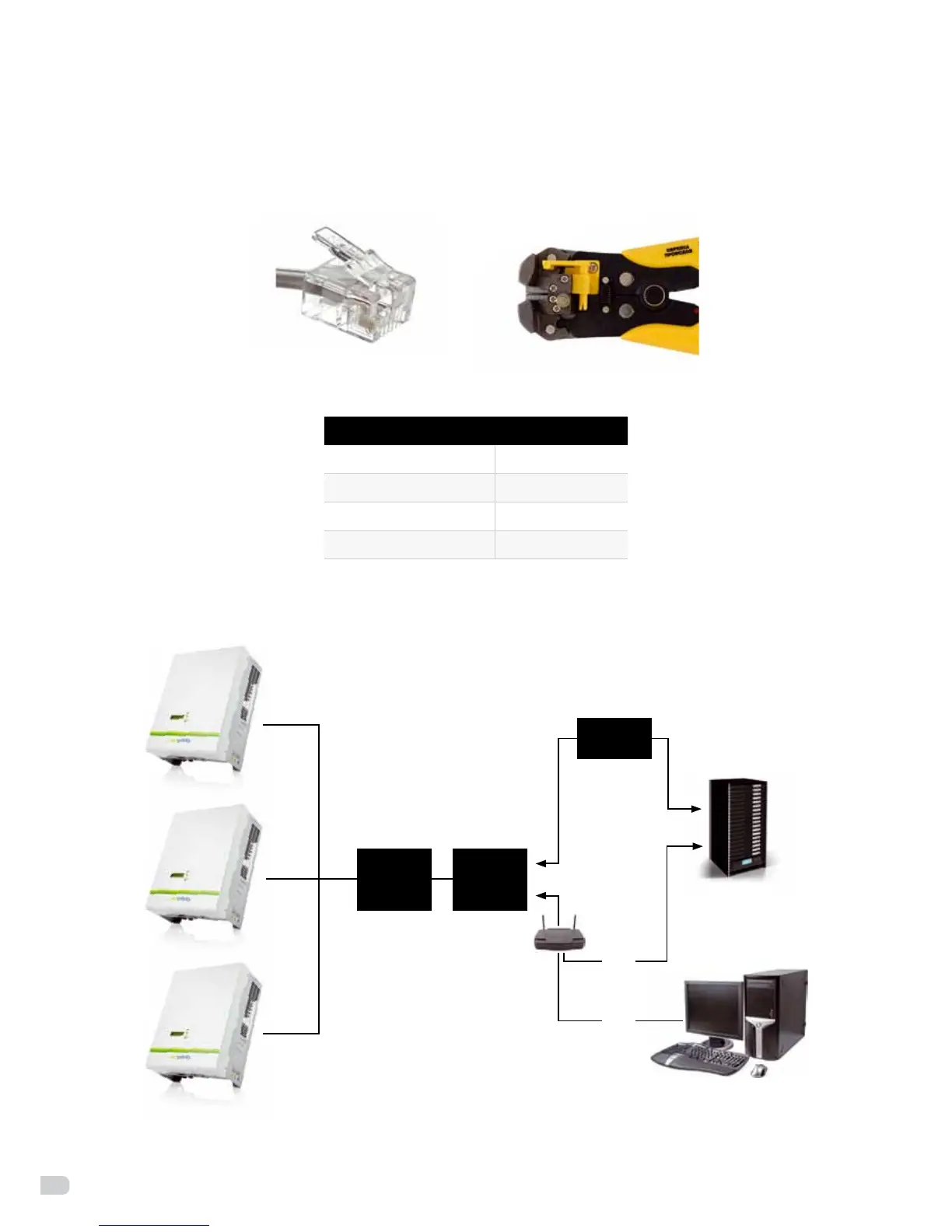
Select high-quality network cable, peel the isolation surface, Select 4 wires (brown, white brown, orange,
whiteorange),thenfollowthesameorderwiththepressplierspushintothe4-wireRJ11crystalhead.
Figure 30: 4-lineRJ11
4-lineRJ11wireNo. Wire color
1 Brown
2 White Brown
3 Orange
4 White Orange
Connect the system as below (figure 31), so you can easy monitor the PV power station.
RS485 webbox
Ethernet
LAN
PC
hub
internet
LAN
Figure 31: Enfinity Manager Monitoring diagram


 To Next Page