Need help?
Do you have a question about the ENFORCER E-921CPQ and is the answer not in the manual?
Lists all included components and accessories with quantities.
Details technical parameters such as operating voltage, current draw, phone system, and dimensions.
Illustrates how to connect the voice dialer to detectors, telephone lines, and power sources.
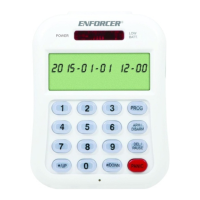
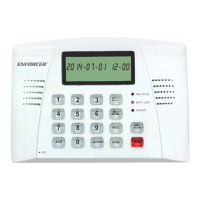
Provides a general description of the voice dialer's front and back panels and key components.
Explains the symbols and indicators displayed on the device's LCD screen for various functions.
Guides users through the physical setup and connection process for the voice dialer unit.
Explains how to set or modify the Personal Identification Number for system access and security.
Guides users on programming up to five emergency phone numbers for automatic dialing during an alarm event.
Describes the procedure for removing previously stored emergency phone numbers from the system.
Allows users to configure whether the built-in siren will sound during an alarm or if it will be silent.
Enables or disables the automatic dialing feature that contacts emergency numbers when triggered.
Configures how many times the dialer will repeat calling each programmed emergency number.
Sets the number of rings before the dialer answers incoming remote control calls.
Allows adjustment of the time delay before an alarm sounds after a trigger event.
Guides the user through setting the current date and time for accurate logging and operation.
Explains how to record a voice message and play it back for emergency notifications.
Explains the process to restore the dialer to its original factory settings, including the default PIN.
Explains the dialer's ability to take over the phone line for outgoing calls.
Guides users on how to arm the system for security and disarm it when necessary.
Explains how to activate the panic button for immediate alarm and dialing.
Details how to remotely arm, disarm, listen in, or broadcast messages using a telephone.
Describes how to call the dialer and use keypad commands to control system functions remotely.
Provides detailed explanations for remote control functions like Listen In, Broadcast, Arm, and Disarm.
Explains how to use the dialer as a door chime when the alarm function is turned off.
Describes the indicator for a low backup battery and the importance of replacement.
How to view recent trigger events and stored phone numbers.
Provides charts for recording phone numbers and sensor locations for setup and future reference.
Outlines compliance with FCC rules, including Ringer Equivalence Number (REN) statements.
Addresses problems such as the dialer failing to arm/disarm, not dialing out, or not responding to call-backs.
Offers guidance for resolving issues when activating remote functions like room monitoring.
 General
| Operating Voltage | 12V DC |
|---|---|
| Operating Temperature | -10°C to +50°C |
| Power Supply | 12V DC |
| Relay Output | 1A @ 30V DC |
| Alarm Output | 1A @ 30V DC |

 To Next Page