【How to Replacement of Fan Motor】
<Compressor side fan motor>
1. Remove the door.
(【How to Replace Cooling Unit】 STEP.1)
2. Remove the motor cover.
(【How to Replace Cooling Unit】 STEP.2)
3. Remove the case cover assy.
(【How to Replace Cooling Unit】 STEP.4)
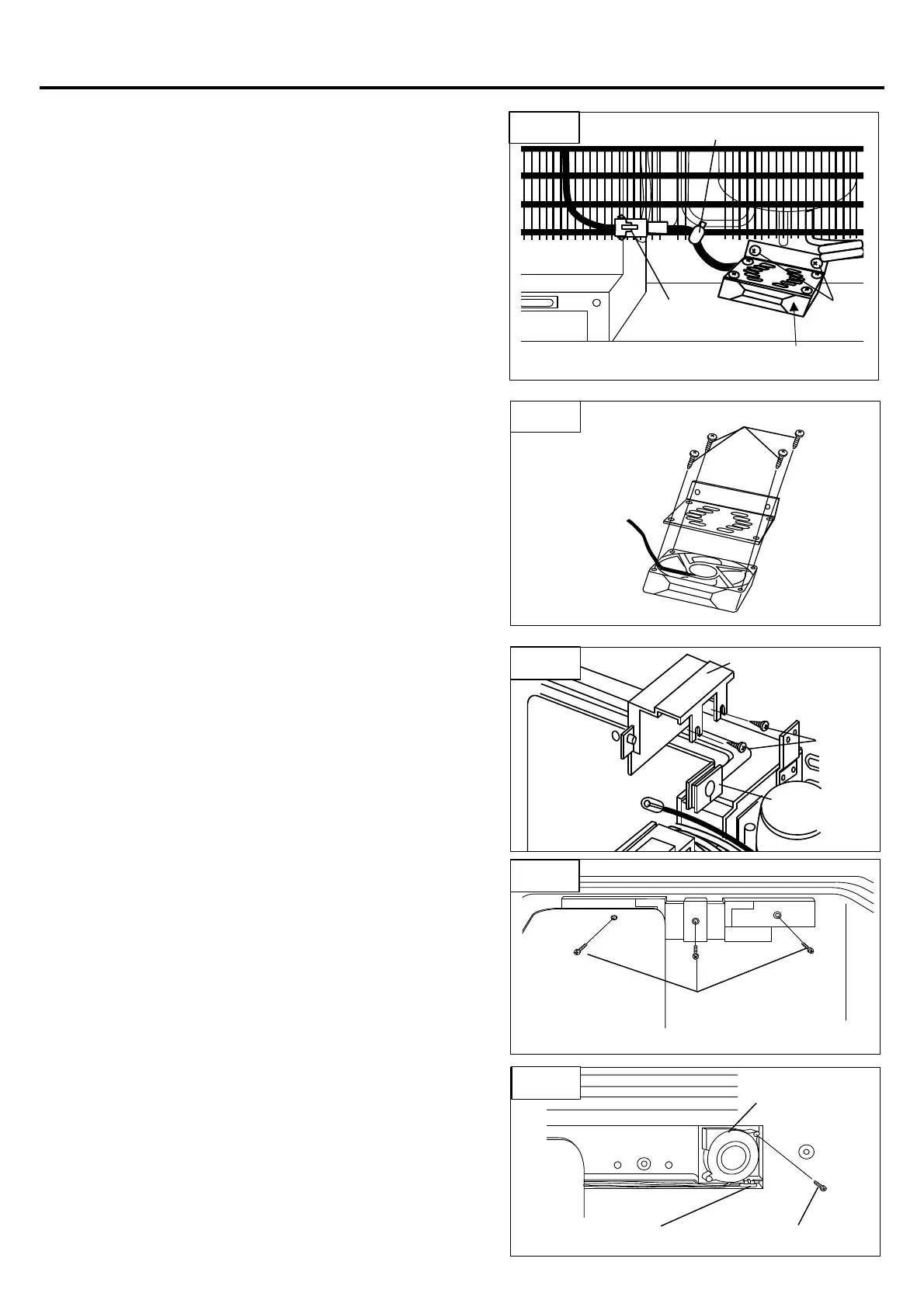
4. Pull out the coupler. (Fig.13-①)
5. Cut fastener. (Fig.13-②)
6. Remove 2 screws. (Fig.13-③)
7. Remove four screws. (Fig.14-④)
<Inside fan motor & Inside thermistor>
1. Remove the door.
(【How to Replace Cooling Unit】 STEP.1)
2. Remove the motor cover.
(【How to Replace Cooling Unit】 STEP.2)
3. Remove screws of evaporator.
(【How to Replace Cooling Unit】
STEP.5<For combi type> )
4. Remove the cover pipe.
・Remove 2 screws of cover pipe. (Fig.15-①)
・Remove the cover pipe. (Fig.15-②)
・Remove the rubber bushing. (Fig.15-③)
5. Remove the holder
・Remove 3 screws of holder. (Fig.16-①)
6. Remove the inside fan motor & inside thermistor.
・Remove screw of inside fan motor. (Fig.17-①)
・Remove the inside fan mortor. (Fig.17-②)
・Remove the internal thermistor. (Fig.17-③)



 To Next Page