49
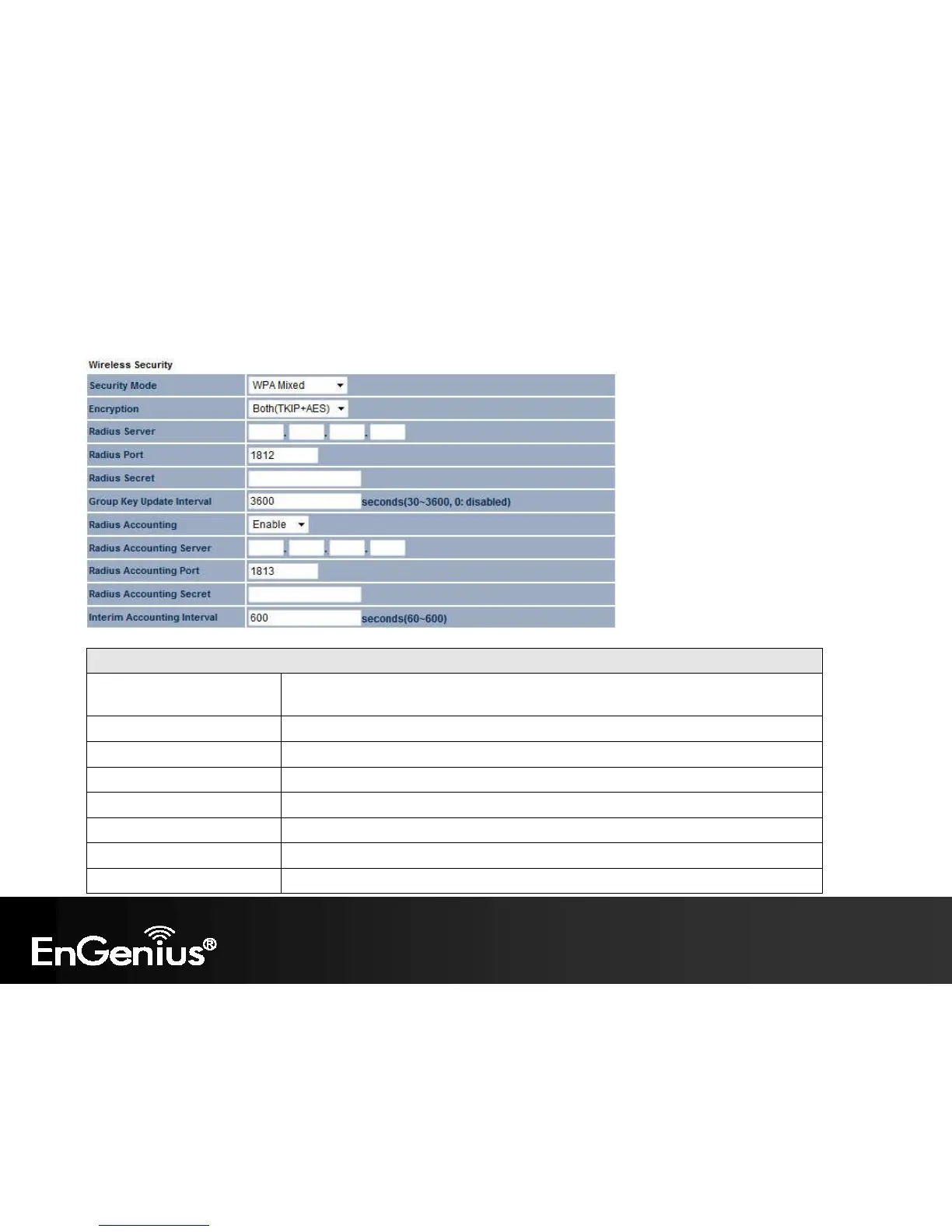
WPA Encryption: Only in Access Point / WDS AP mode
WPA Encryption
Encryption Select the WPA encryption type you would like.
Please ensure that your wireless clients use the same settings.
Radius Server Enter the IP address of the Radius server.
Radius Port Enter the port number used for connections to the Radius server.
Radius Secret Enter the secret required to connect to the Radius server.
Group Key Update Interval Specify how often, in seconds, the group key changes.
Radius Accounting Enable or disable accounting feature.
Radius Accounting Server Enter the IP address of the Radius accounting server.
Radius Accounting Port Enter the port number used for connections to the Radius accounting server.















 To Next Page