50
Radius Accounting Secret Enter the secret required to connect to the Radius accounting server.
Interim Accounting Interval Specify how often, in seconds, the accounting data sends.
Note: 802.11n does not allow WEP/WPA-PSK TKIP/WPA2-PSK TKIP security mode. The connection mode will
automatically change from 802.11n to 802.11a/g.
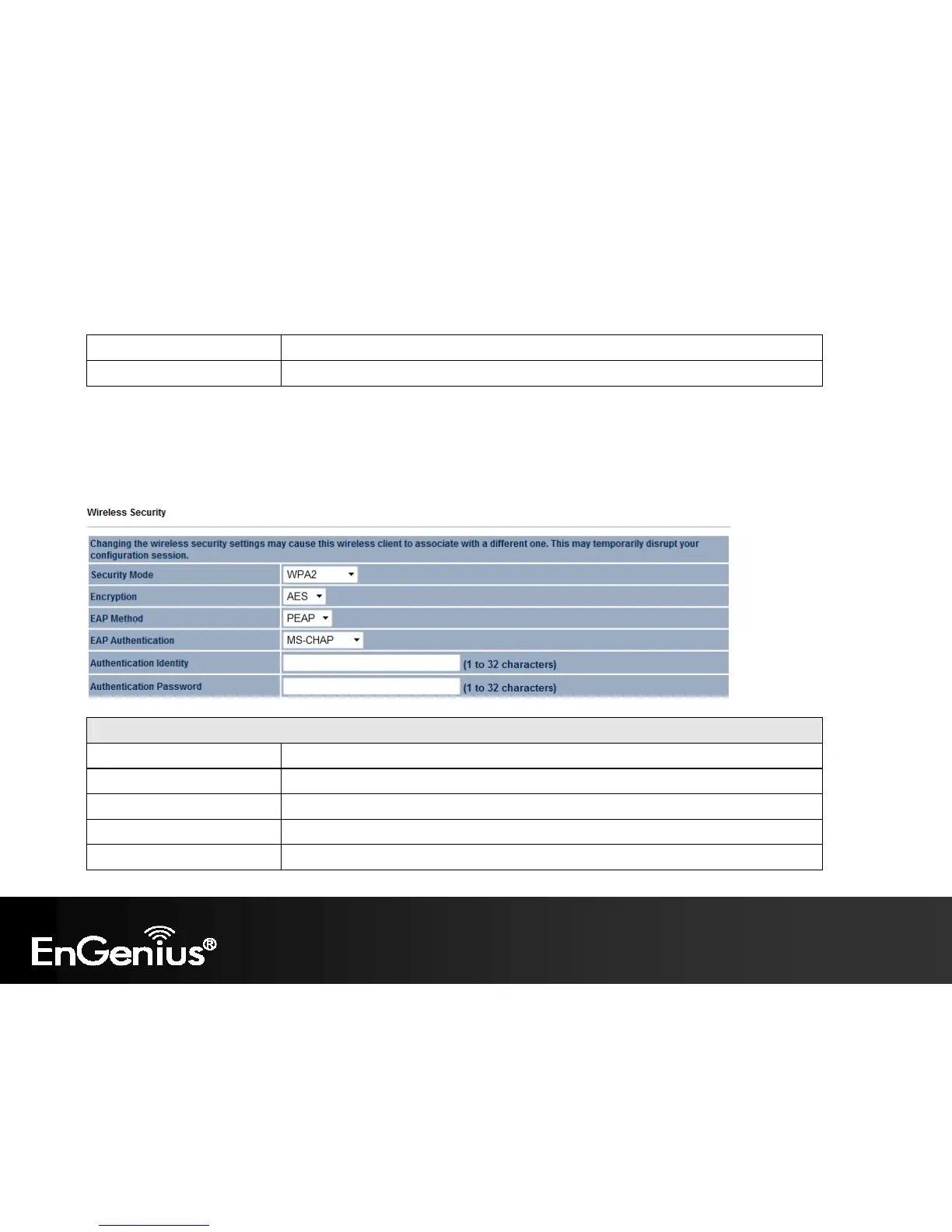
WPA Encryption: Client Bridge / WDS Station mode
WPA Encryption
Encryption Select the WPA encryption type: TKIP or AES.
EAP Method Select EAP Method: PEAP or TTLS.
EAP Authentication Select EAP Authentication: MS-CHAP or MS-CHAPV2.
Authentication Identity Enter the Identity required for the Radius server.
Authentication Password Enter the Password required for the Radius server.















 To Next Page