44
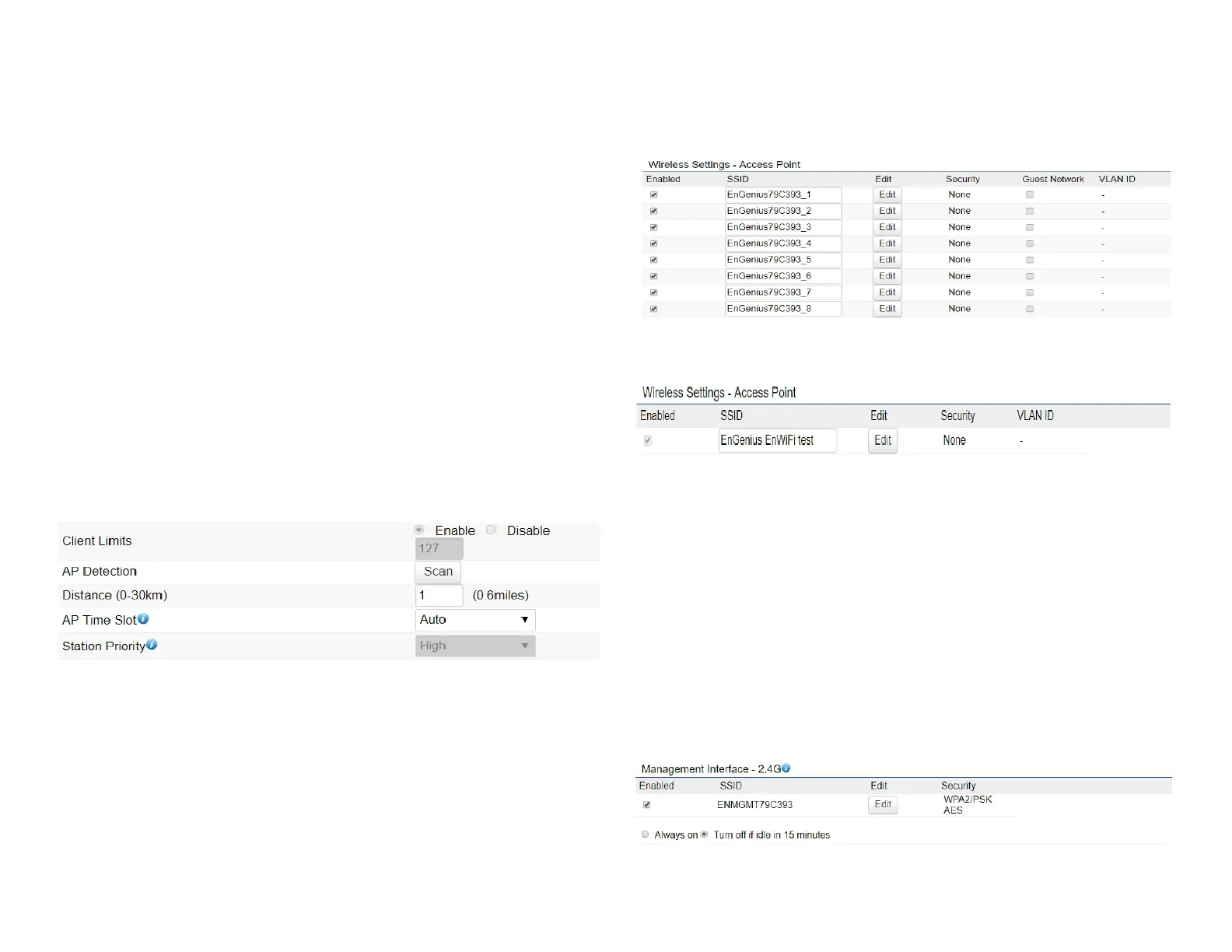
use by scanning nearby areas for Access Points.
Distance: Species the distance between Access Points
and client devices. The proper setting for this parameter
may assist Access Points to avoid the improper operation
whentransmittingdataunderaledapplication.
AP Time Slot: In EnJet mode, the AP will assign time slots
for each client’s data transmission. The larger the slot, the
faster the data transmission.
Station Priority: In EnJet mode, the client bridge or
WDS station’s data transmission is prioritized by station
priority. The High/Middle/Low(time ratio is 10:5:1) means
transmission time of this client, whIch is decided by AP.
*High level means this client will get 10/16 of AP’s time resource.
Wireless Setting-5GHz
Current Prole:Youcancongureuptoeight(8)different
SSIDs when EnJet disable or 1 SSID when EnJet enable.
If multiple client devices will be accessing the network,
you can arrange the devices into SSID groups. Click Edit
toconguretheproleandcheckwhetheryou wantto
enable extra SSID.
SSID Prole when EnJet disable
SSID Prole when EnJet enable
Management Interface: This Management interface make
youcanchangethecongurationviaEnWiFiAppinsteadof
using the GUI. Management SSID will be turned off in this
twosituation.(1)Whenthedeviceispoweredupintherst
time and there is no connection in 30 minutes. (2)When the
setting is done and idle in 15 minutes. If you need to turn
on management SSID please reboot the device.You can set
to always on or turn off if idle in 15 minutes.












 To Next Page