USING THE BREATHE FEATURE
1. The BREATHE button can be pressed at any time between cycles (breaths) to
initiate a breath, overriding both timed and assisted respiration.
NOTE: To test the BREATHE function, turn the ADS 2000 ON, (see page 10) install
the TEST LUNG onto the end of the breathing circuit, place the SET / RUN switch to
"RUN". When the ADS 2000 is between breaths, press the BREATHE button, the
TEST LUNG will inflate and deflate to the preset parameter.
USING THE MASK MODE
NOTE: Unit must be turned ON while in Normal Mode (50 PSI), then the tubing
configuration changed to Mask Mode.
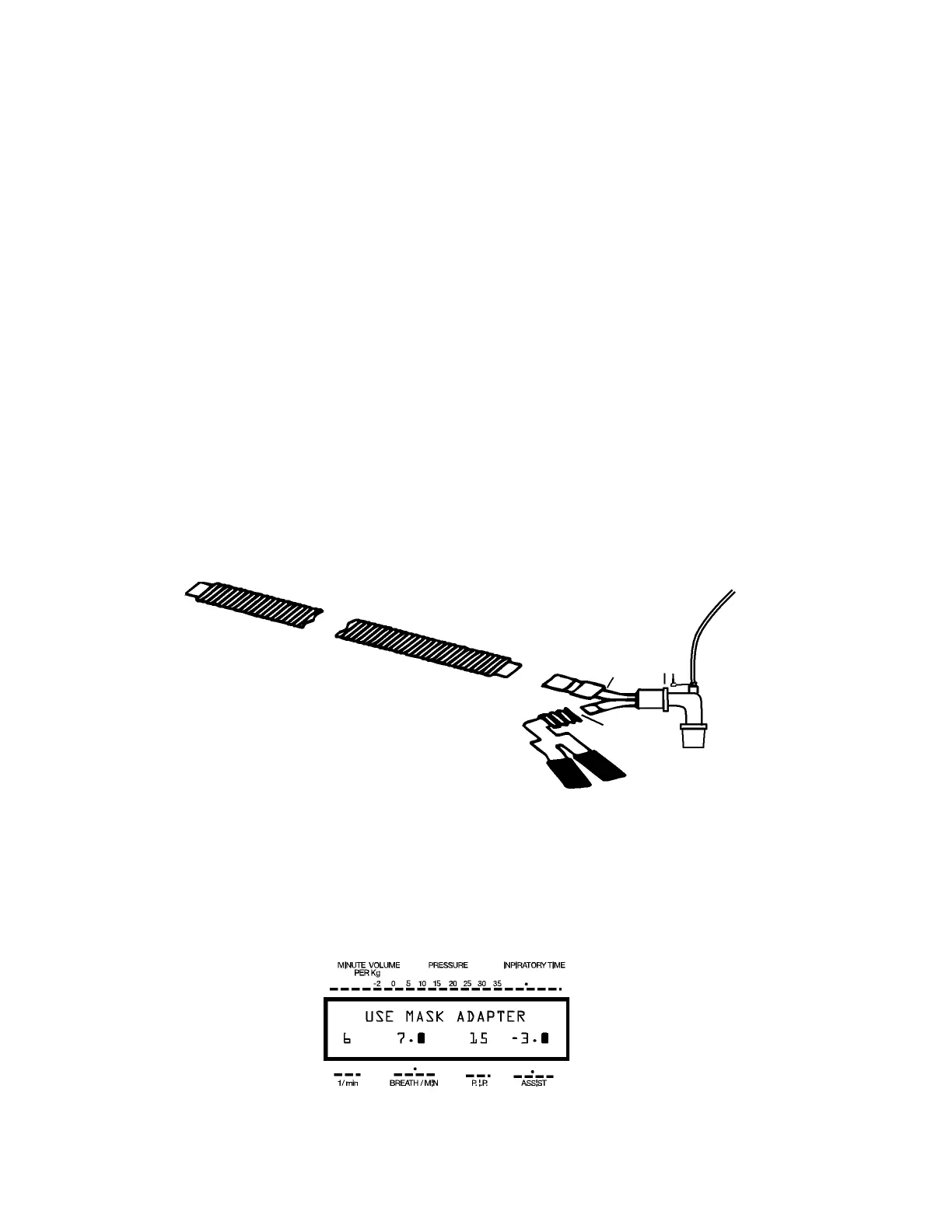
1. The Mask Adapter consists of the Y piece and the adapter. Masking a patient
down requires an adapter, which is supplied with the unit.
2. As shown below, connect the Breathing Circuit to the end of the “Y” piece.
3. Attach the “Blue Scavenger Tubing” to the large adapter that is connected to the
“Y” piece.
4. Connect the Gas Sampling Elbow to the large port of the “Y” piece as shown.
Mask Adapter
Gas Sampling
4
Blue Scavenger Tube 3
System
2
To Mask
Breathing Circuit
5. Set the vaporizer to the desired concentration.
6. Place the "MASK" switch ON or "I". The LCD display will look like Figure 6, and a
continuous flow of oxygen with anesthetic gas will flow through the mask at your pre-
selected FLOW RATE.
Figure 6
22 Engler Engineering Corporation ADS 2000


 To Next Page