35
OCR Readback & Text-to-Speech (TTS) Modes
Basic Page-Mode (Basic mode only)
When the console is set to basic mode the page will be displayed as it appears in the guide
frame during OCR Readback. The word highlight will be displayed at the current reading
position and all of the Basic OCR Navigation features will be available. Pressing the
[Find/Enter] Key will immediately exit from this mode and return you to the OCR Guide Frame.
Zone-Mode (Advanced mode only)
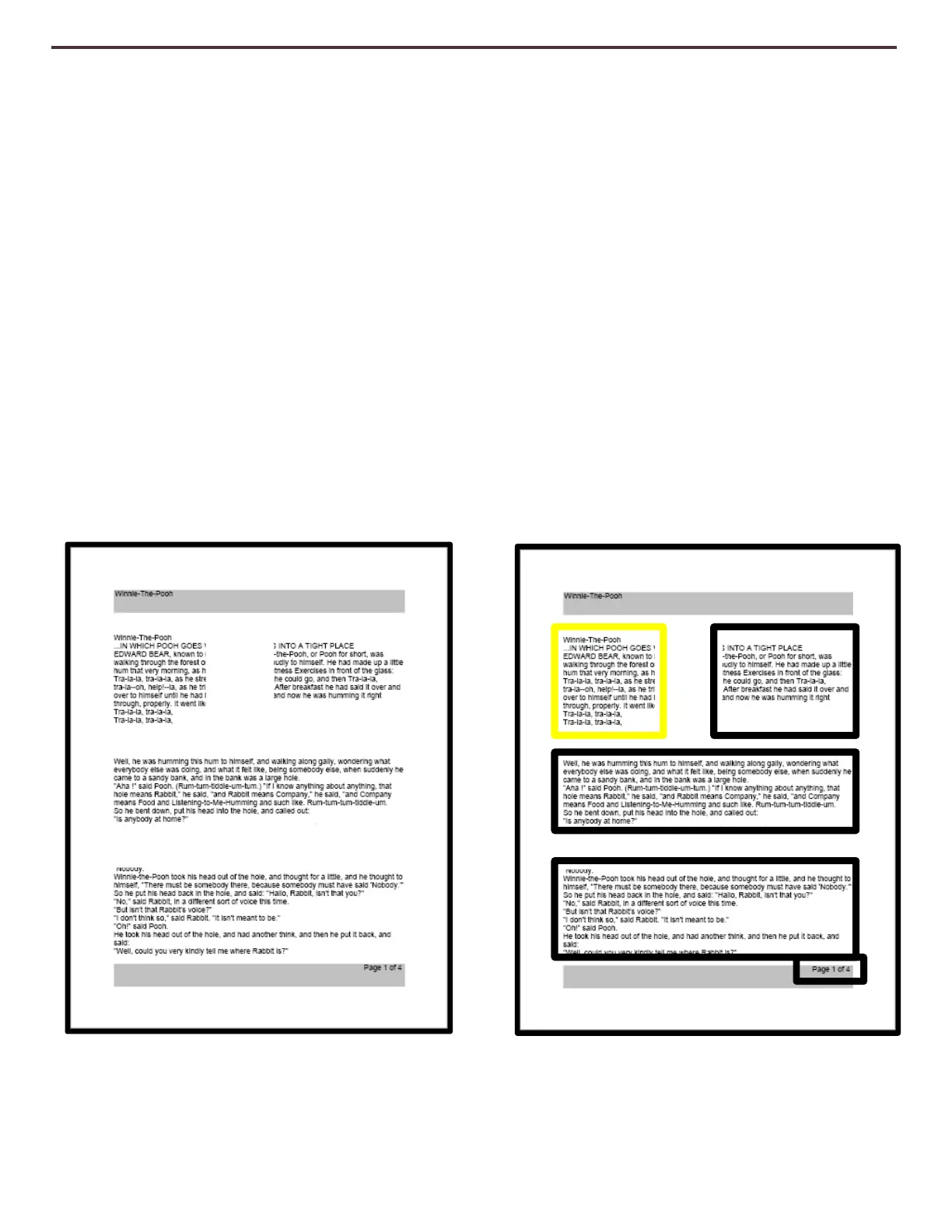
The Zone Mode will display the picture as it appeared in the Guide frame with the addition of
the Zone Identifier Graphics you have selected (Boxes are enabled by Default). This divides the
target material into different “Zones” or blocks of text that you can highlight and navigate to
using the Advance Console keys.
OCR readback will not engage automatically in this mode since you are given the option of
choosing where you start reading. When you have highlighted the desired area simply press
the Play button. Pressing [Capture] at any time will return you to the OCR Guide Frame.
Figure 18 Zone Identifiers



 To Next Page