51
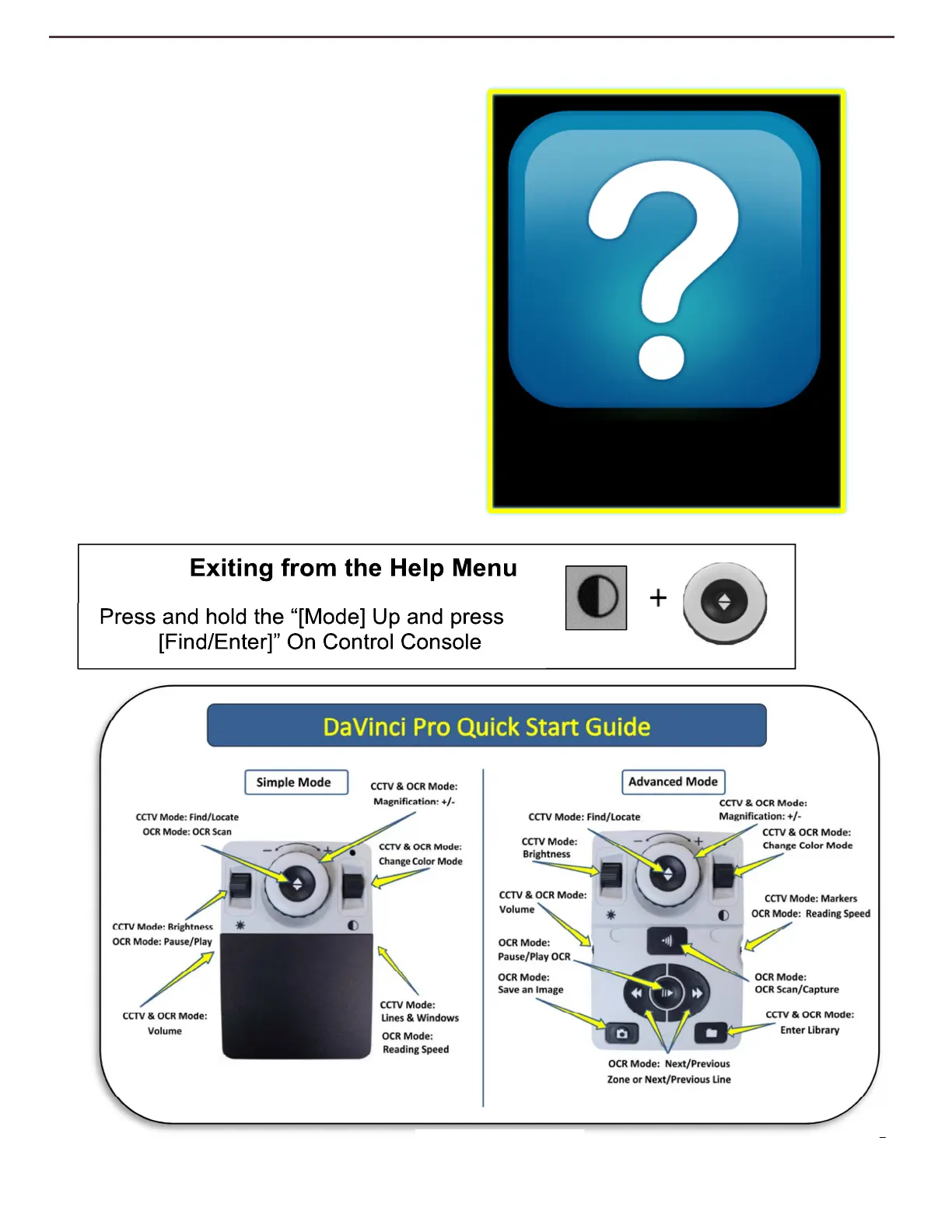
Help Menu
The Help Menu Contains a list of all of the
available shortcuts and key presses to access
your DaVinci Pro features. This is a Quick
Start Reference with both Simple and
Advanced references mapped in sufficient
detail for you to be able to pick up using the
device right away. The shortcut to exit from
this menu once selected is included below.
Optionally you can always press the “OCR
Toggle” button on the front Panel to exit
immediately. Use the [Find/Enter] Key on the
control console to confirm entering this
option.
Help
Figure 24 Help Menu



 To Next Page