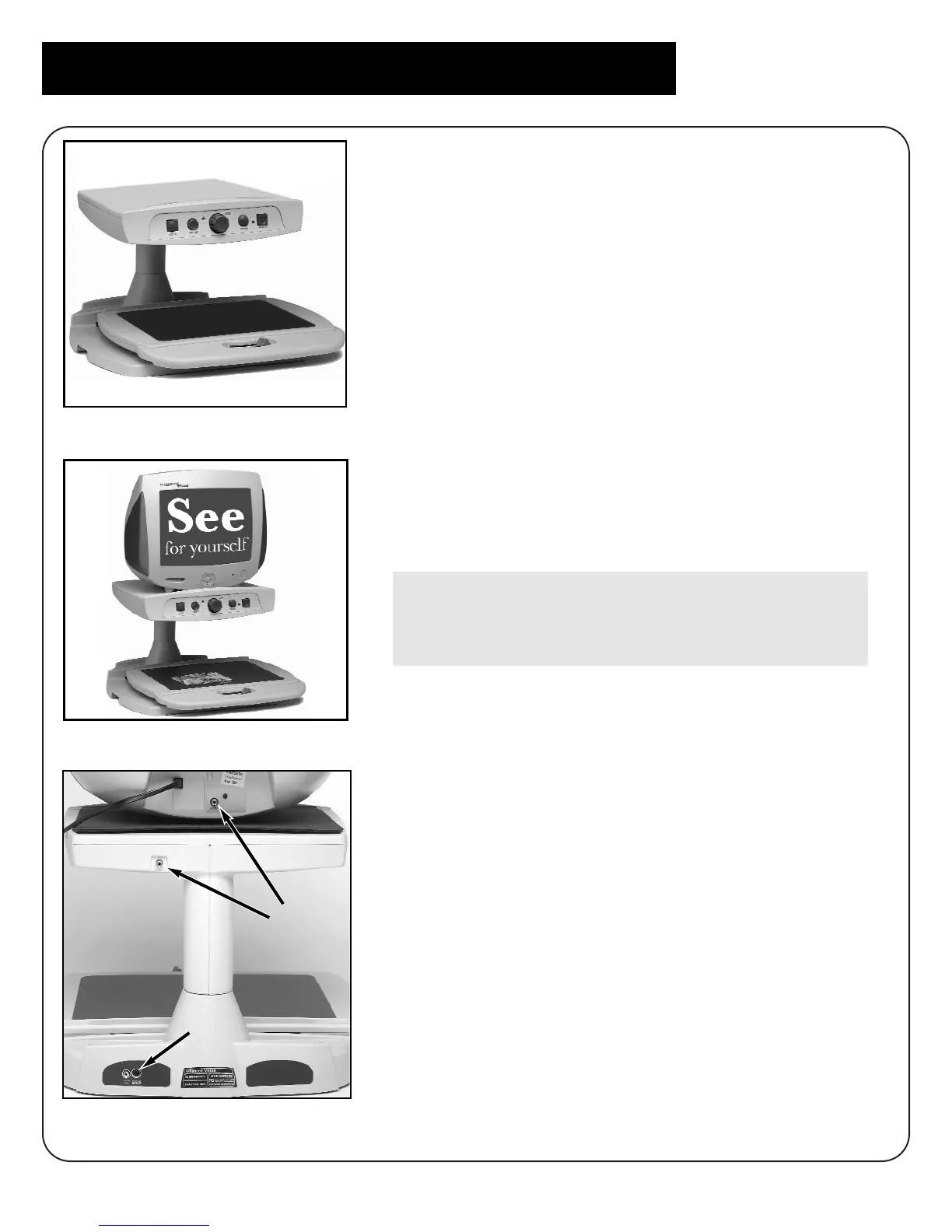
1. Find a steady and level location, such as a
table or desk, where you will be
comfortable using Merlin.
2. Carry Merlin only by the two recessed
handles on the sides of the base for a
secure grip. Place it on the table or desk.
(Figure 1) Place the TV monitor on the
platform. (Figure 2)
3. Use the video cable to connect the monitor
to Merlin. Connect one end to the jack on
the back of the upper platform, and the
other to the VIDEO jack on the back of the
monitor. (Figure 3-A)
Do not connect the monitor to the VIDEO
OUT jack on the back of the base. This is
used for a separate monitor or television.
4. Plug the power supply cord into an outlet
and the other end into the DC IN 12V jack
on the back of Merlin’s base. (Figure 3-B)
5. Place your material such as a book,
newspaper, or photograph on the movable
X-Y table.
6
Setting Up Merlin with TV Monitor
figure 1
figure 2
figure 3
A
B



 To Next Page