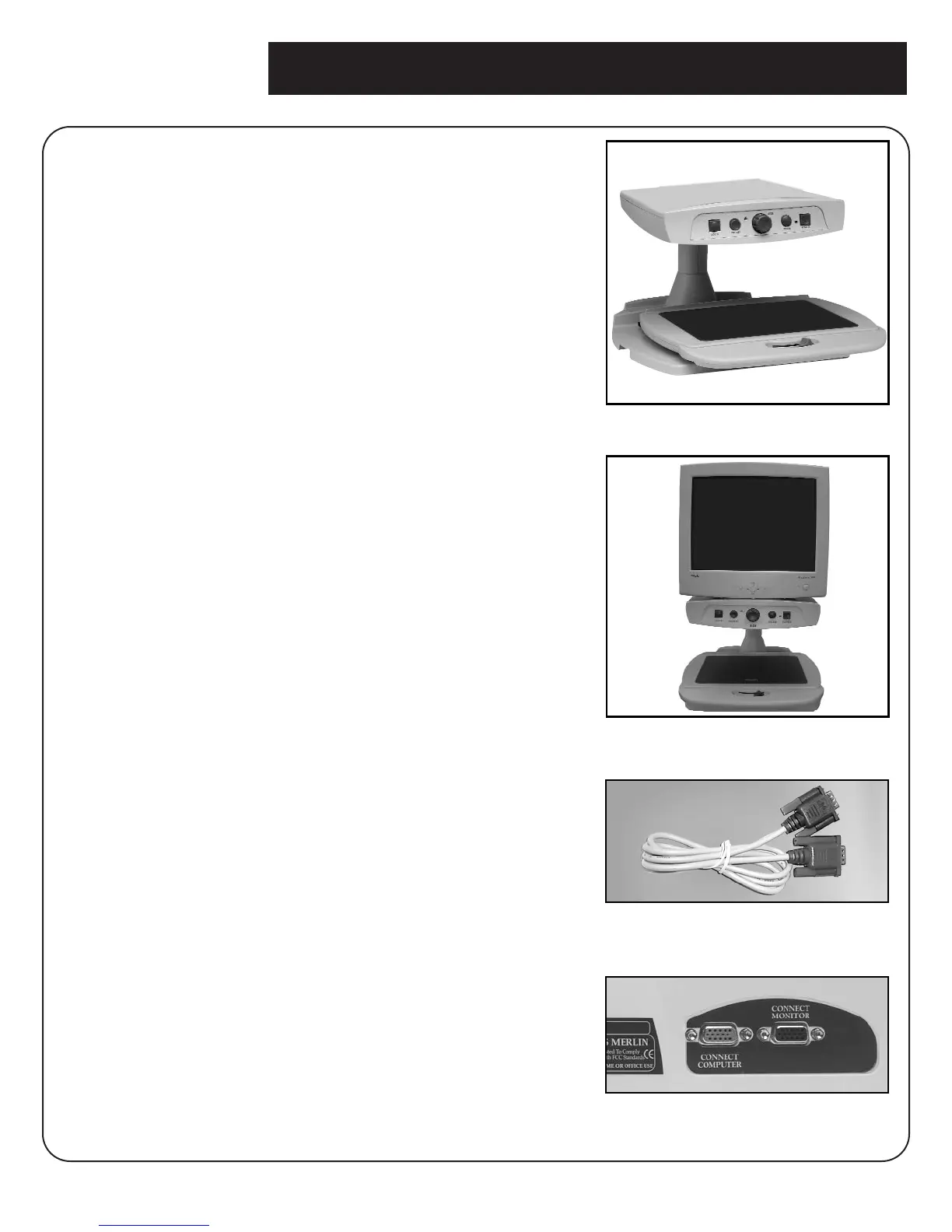
1. Find a steady and level location, such as a
table or desk, where you will be comfortable
using Merlin.
2. Carry Merlin only by the two recessed
handles on the sides of the base for a secure
grip. Place it on the table or desk (Figure 1).
Based on personal preference, you may
want to attach or detach the VGA Monitor’s
stand before placing the monitor on top of
the platform. Place the VGA monitor on the
platform. (Figure 2)
3. Connect the built in VGA cable from your
VGA Monitor into the black port (labeled
“CONNECT MONITOR”) on the right in the
rear of the Merlin video magnifier. (Figure 4)
4. If you want to switch the display from the
Merlin video magnifier to your computer
screen, you will need to utilize the supplied
gray VGA cable (Figure 3). Plug the blue end
of the VGA cable into the port on the back
of your Computer or CPU, where the
monitor would normally connect.
Then plug the red end of the VGA cable into
the red port on the back of the Merlin Unit.
5. Plug the power supply cord into an outlet
and the other end into the DC IN 12V jack
on the back of Merlin’s base. (Figure 3-B on
page 6)
6. Plug the VGA monitor’s power cord into the
outlet.
Setting up Merlin with VGA Monitor
7
figure 1
figure 2
figure 4
figure 3



 To Next Page