Envoy Installation and Operation
2014 Enphase Energy Inc. 141-00011 Rev 05
Table of Contents
Important Information ................................................................................................................. 5
Read this First .................................................................................................................................. 5
Safety Instructions ........................................................................................................................... 5
Audience .......................................................................................................................................... 5
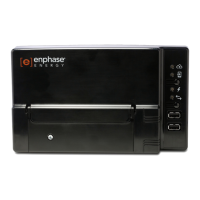
The Enphase Envoy Communications Gateway ......................................................................... 6
Other Elements in the Enphase System .......................................................................................... 7
How the Envoy Communications Gateway Works .......................................................................... 7
Installation Planning and Preparation ......................................................................................... 8
System Sizing .................................................................................................................................. 8
Preinstallation Checks ..................................................................................................................... 8
Installation Sequence ...................................................................................................................... 9
Install the Envoy ....................................................................................................................... 10
1. Find the Envoy Serial Number ................................................................................................... 10
2. Register the Envoy .................................................................................................................... 11
3. Find a Location for the Envoy .................................................................................................... 12
4. Connect to the Internet .............................................................................................................. 12
Method A: Ethernet Cable ......................................................................................................... 12
Method B: Power Line Communication Bridges ........................................................................ 13
Method C: Enphase Wireless Adapter (Wi-Fi) ........................................................................... 13
5. Check the Internet Connection .................................................................................................. 14
6. Install the Modules and Microinverters ...................................................................................... 14
7. Check the Envoy’s Progress ..................................................................................................... 15
8. Wall Mount the Envoy (Optional) ............................................................................................... 16
9. Build the Virtual Array ................................................................................................................ 17
10. View System Performance in Enlighten .................................................................................. 17
Envoy Operation ...................................................................................................................... 18
First Scan for Microinverters .......................................................................................................... 18
LCD Screen Display at Initial Start Up ........................................................................................... 19
Initial Communications Check ................................................................................................... 19
Subsequent Start Up ................................................................................................................. 19
Normal Operation .......................................................................................................................... 20
Using the Envoy LCD Menu .......................................................................................................... 20
Initiating a Scan for New Microinverters .................................................................................... 22
Performing a Communications Check ....................................................................................... 22
Viewing the Grid Configuration .................................................................................................. 24
Getting a New IP Address ......................................................................................................... 25
Enabling a Connection to Enphase ........................................................................................... 26
Disabling a Connection to Enphase .......................................................................................... 26
Viewing the Envoy Serial Number ............................................................................................. 27
Selecting a New Locale (Change Language Display) ............................................................... 27
How the Envoy Works with Enlighten ............................................................................................ 28
Using Enlighten to Check Envoy Status .................................................................................... 28
Troubleshooting ....................................................................................................................... 29
Power Line Communication Troubleshooting ................................................................................ 29
Issue: The Microinverter Count is Lower than the Number of Installed Units ........................... 29
Issue: Envoy Displays Fewer than Three Bars .......................................................................... 30
Issue: Envoy Displays Zero Bars ............................................................................................... 30
Network Basics and Troubleshooting ............................................................................................ 31
Issue: IP Address Problems ...................................................................................................... 31
Issue: LCD Screen Displays “-Web” .......................................................................................... 31
Issue: LCD Screen Displays “Envoy Failure +Web or -Web” .................................................... 32

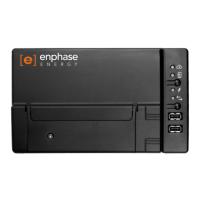



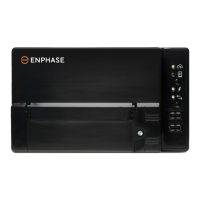

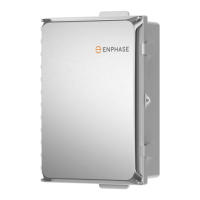

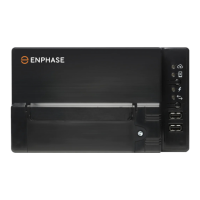


 To Next Page