Envoy Installation and Operation
2014 Enphase Energy Inc. 141-00011 Rev 05
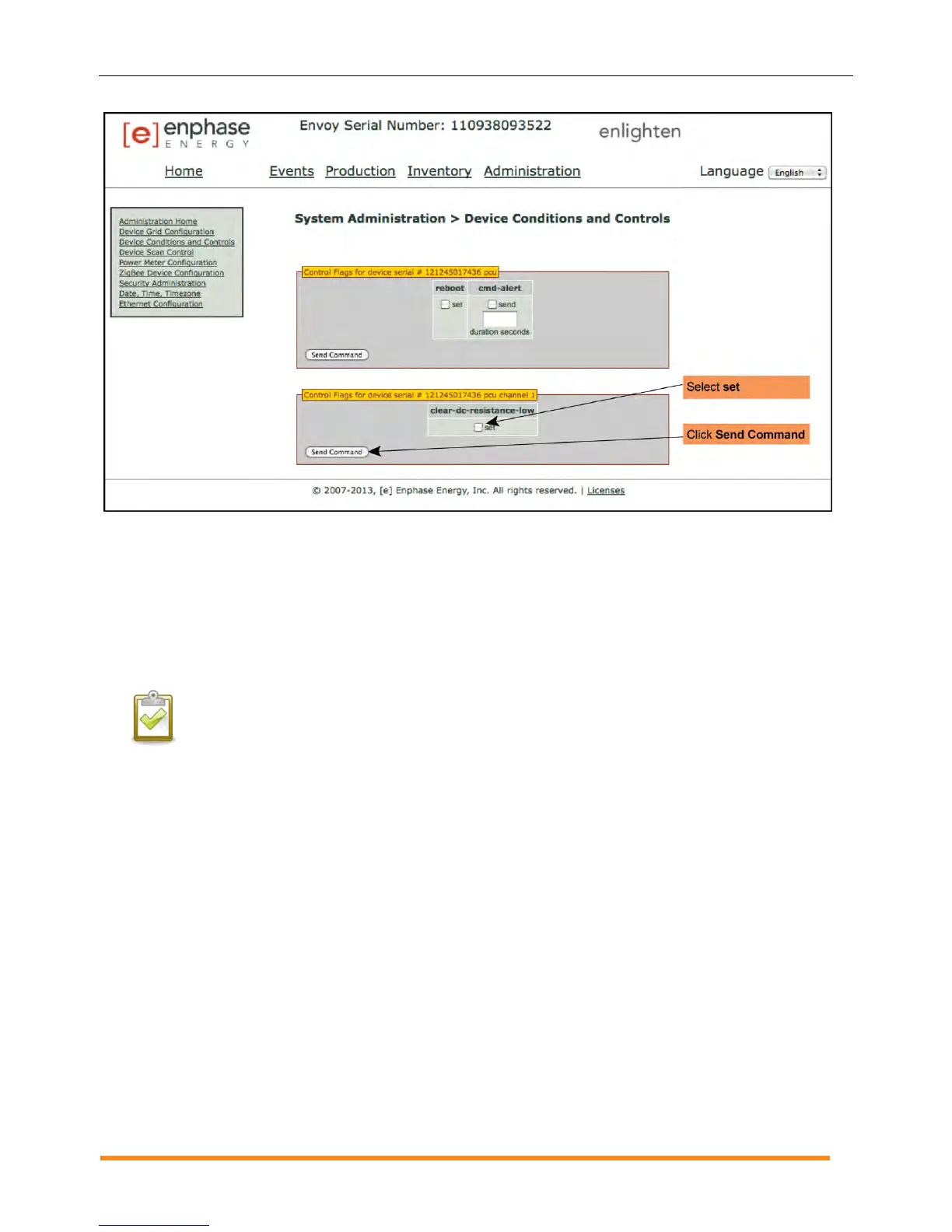
4. Click Send Command to complete this task.
Set Up Device Scan Control
The “controlled” device scan differs from other Envoy device scans in that it allows control over the scan
period, scanning method, and the number of devices. When first installed, the Envoy initiates an eight-hour
scan. This initial scan is the only scan needed for most systems.
NOTE: At sites with more than 100 microinverters, Enphase recommends using a controlled
device scan and specifying the total number of devices to be discovered. This speeds up the
discovery process. See the following procedure for details.
Run a controlled scan only to detect new or previously undetected microinverters.
To run a controlled scan:
1. From the Administration menu, choose Device Scan Control.
The Device Scan Control screen appears.






 To Next Page