page 18
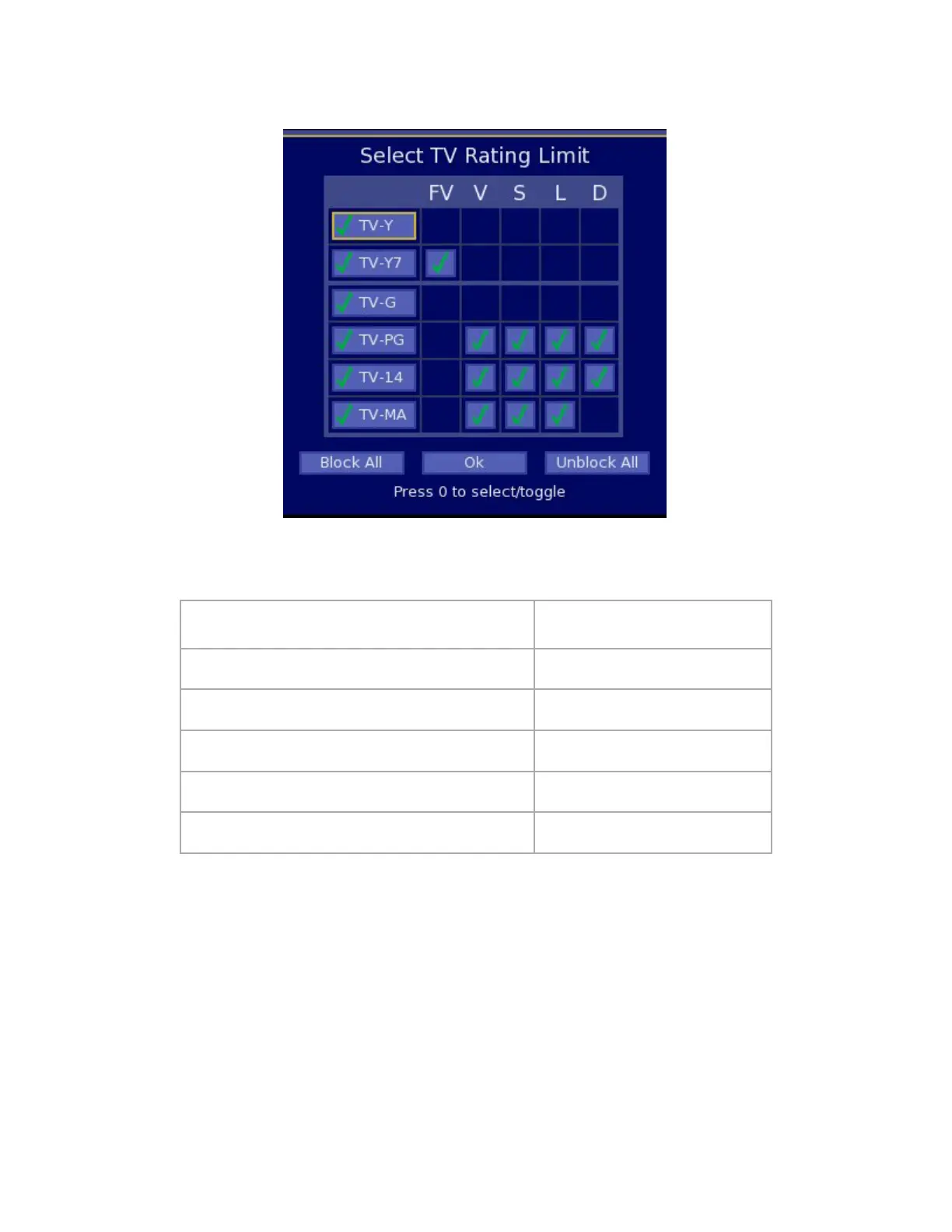
2. Select TV Ratings-Thismatrixallowsforallowingorrestrictingvarioussettings,includingtheTVindustry
ParentalGuideratings,andnewspecificratings:
TV-Y=AllChildren
FV=FantasyViolence
(cartoons)
TV-Y7=DirectedtoOlderChildren V=Violence
TV-G=GeneralAudience S=SexualSituations
TV-PG=ParentalGuidanceSuggested L=Language
TV-14=ParentsStronglyCautioned D=SuggestiveDialog
TV-MA=MutualAudienceOnly
Usethearrowkeystohighlightaboxinthematrixandthenusethe0buttonontheremoteisusedtotogglebetween
selections.Whenfinished,movetotheOKboxandpress0tosavesettingsandexit.
Image 19 – V-Chip TV Ratings


 To Next Page