page 12
Lodging System Requirements for Channel Re-mapping:
1. TheLodgingSystemMUSTNOTexplicitly‘delete’thechannel
2. TheLodgingSystemMUSTNOTadd‘installationdata’forthechannel
3. TheLodgingSystemMUSTusean‘AnalogChannelTune’commandtoaccessthere-mappedchannel
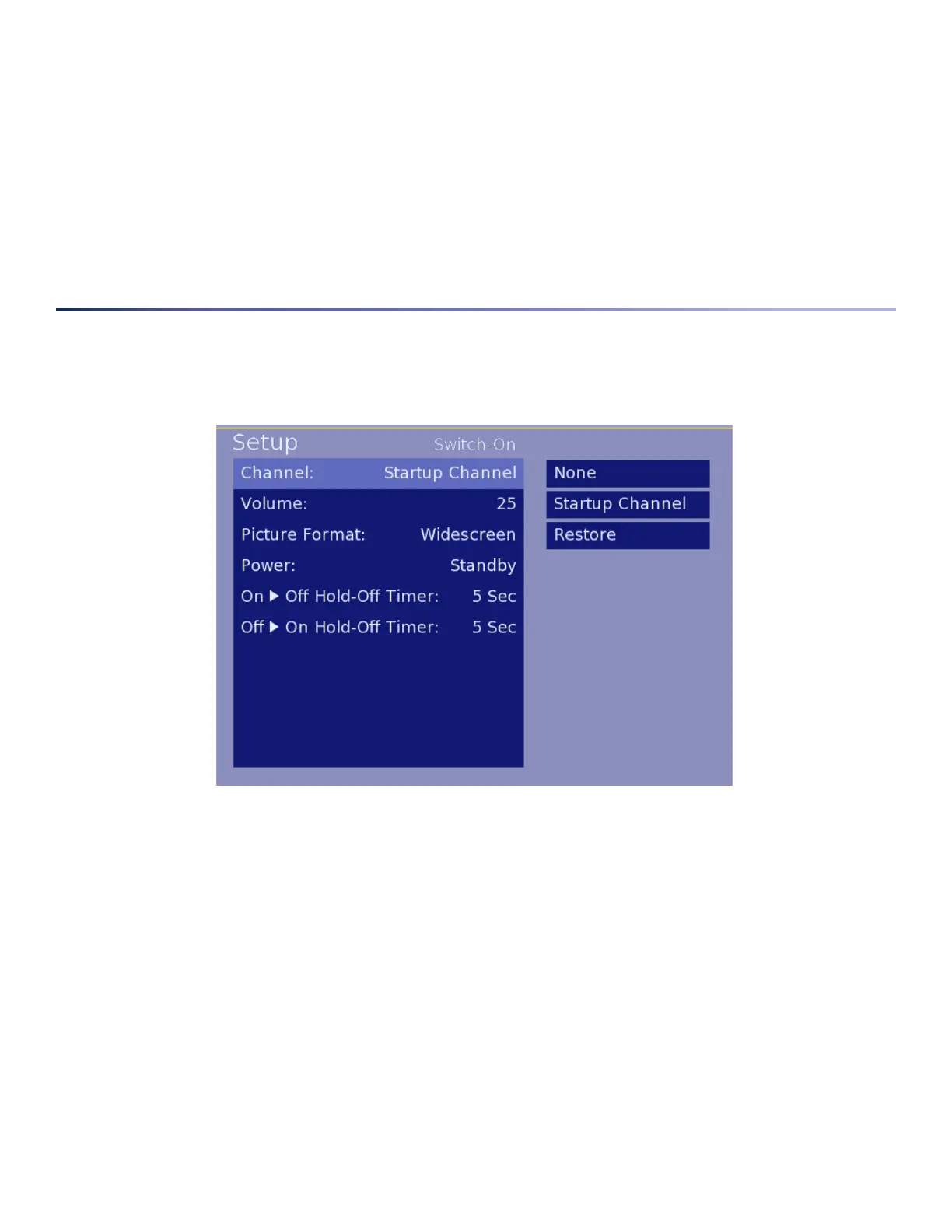
Switch-On Options Menu
Thismenuprovidesoptionsforsettingupdefaultsettingsforwhenthedisplayfirstturnson.Thesesettingsarepar-
ticularlyusefulinalodgingenvironmenttobesurethedisplaystartsontheStartupChannelandtopre-definevolume,
screenformatandothersettings.
1. Channel-Allowsfortheconfigurationofadefaultchannel:
• None–AllowsPPVsystemtodefinestartupchannel
• StartupChannel–UsestheinformationconfiguredforStartupChannelonEditChannelSubmenu.This
mayincludeanA/VInput.Note:Pro:Idiomencryptedchannelsarenotsupportedasstartupchannelsat
thistime.
• Restore–ReturnstheTVtothelastchanneltunedpriortoturningoffbyuser
2. Volume-Setthenumericvaluefrom0to99thatyouwouldliketobeusedasthedefaultvolumelevelfor
thedisplay.
3. Picture Format-Selectbetweendifferentformatsforthescreenandcontentpresented.Optionsinclude:
• Native-Thissettingwillshowtheaspectratioofthesourcematerial.4:3NSTCimageswillbeshown
Image 9 – Switch-On Options Menu



 To Next Page