page 11
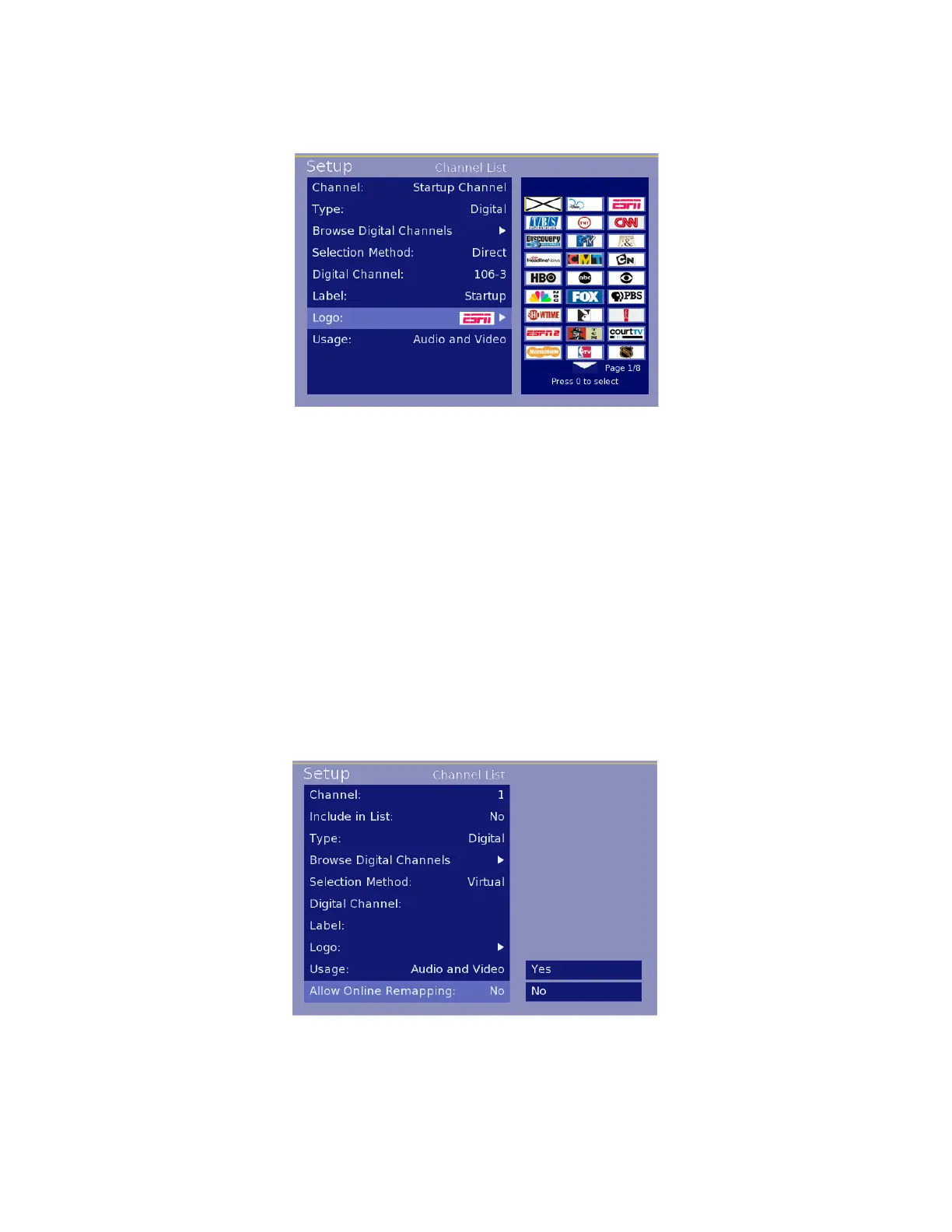
5. Logo-SelectablemenuofgraphicallogosforaddingavisualthumbnailformanypopularTVchannels
(Note:PPVsystemsmaynotusethelogosettingintheHD2000RFandinsteaduseownlogomethod.Confirm
withyourPPVprovideriflabelinformationwillbeused)
6. Usage-SelectionofAudioandVideo(default),AudioOnlyformusicchannels/inputsorVideoOnlyfor
videoonlyusage.
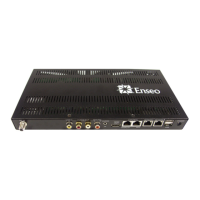
7. Allow Online Remapping-NotallPPVsystemsallowOnlineremapping.PleaseconsultEnseoat972-234-
2513toensureyoursystemissupported.
ThissettingisusedforLodgingModetoallowremappingofaDigitalChannelorAVInputtoexistinacontrolled
hospitalitysystem.SelectYEStohavethesettingsforthechannelspecifiedmaintainthemappedinformation.
Analogtunecommandsaretheonlytunecommandsthatcanbere-mapped.IfyourPPVproviderdoesnotuseana-
logtunecommandstheywillneedtoimplementthembeforethisfunctionwillwork.
BeforethisfunctionisusedthePPVprovidermustbeconsultedduetodifferencesincommandstructuresbetweenPPV
providers,thenecessitytoincludethere-mappedchannelinthering,andotherproprietaryconcerns.
Image 7 – Logo Options
Image 8 – Online Remapping
Selection


 To Next Page