10 Sigma DS Direct to Card Printer
Sigma DS Direct to Card Printer
Install the Prelled Ribbon Cassette
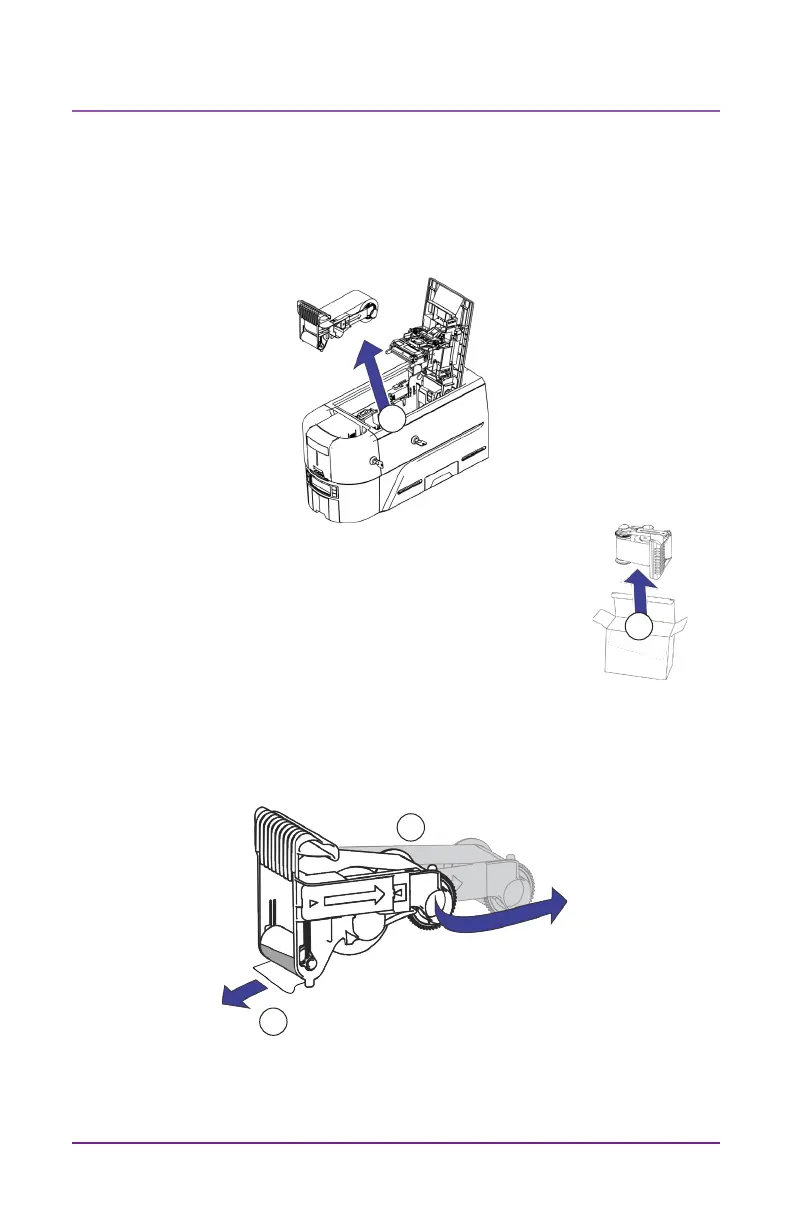
1. Open the printer cover and remove the used print ribbon cassee.
Discard the cassee.
2. Remove the print ribbon cassee from its package.
The cassee is shipped in a closed posion.
3. Extend the cassee to its fully open posion.
Pull out the front of the cassee unl it clicks.
4. Remove the protecve wrapper from the cleaning roller.
5. Install the cassee in the printer and close the printer cover.
1
2
3
4



 To Next Page