User Reference Guide 9
User Reference Guide
Load the Print Ribbon Cartridge
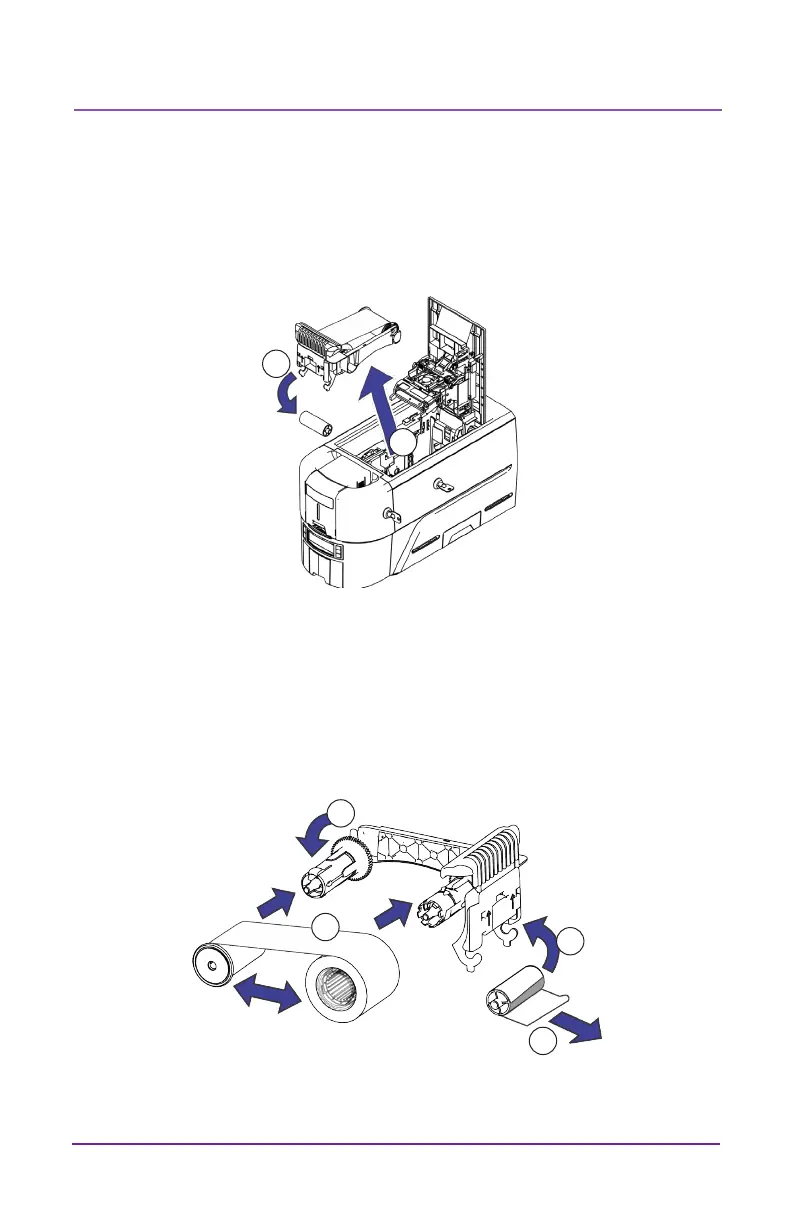
1. Open the printer cover and remove the print ribbon cartridge.
2. Remove the used ribbon spools and cleaning roller and discard
them.
3. Load the print ribbon.
4. Turn the take-up spool counterclockwise.
5. Load the cleaning roller.
6. Remove the protecve wrapper from the cleaning roller.
7. Replace the ribbon cartridge and close the printer.
1
2
3
6
5
4



 To Next Page