User Reference Guide 21
User Reference Guide
Clean the Printhead (cont).
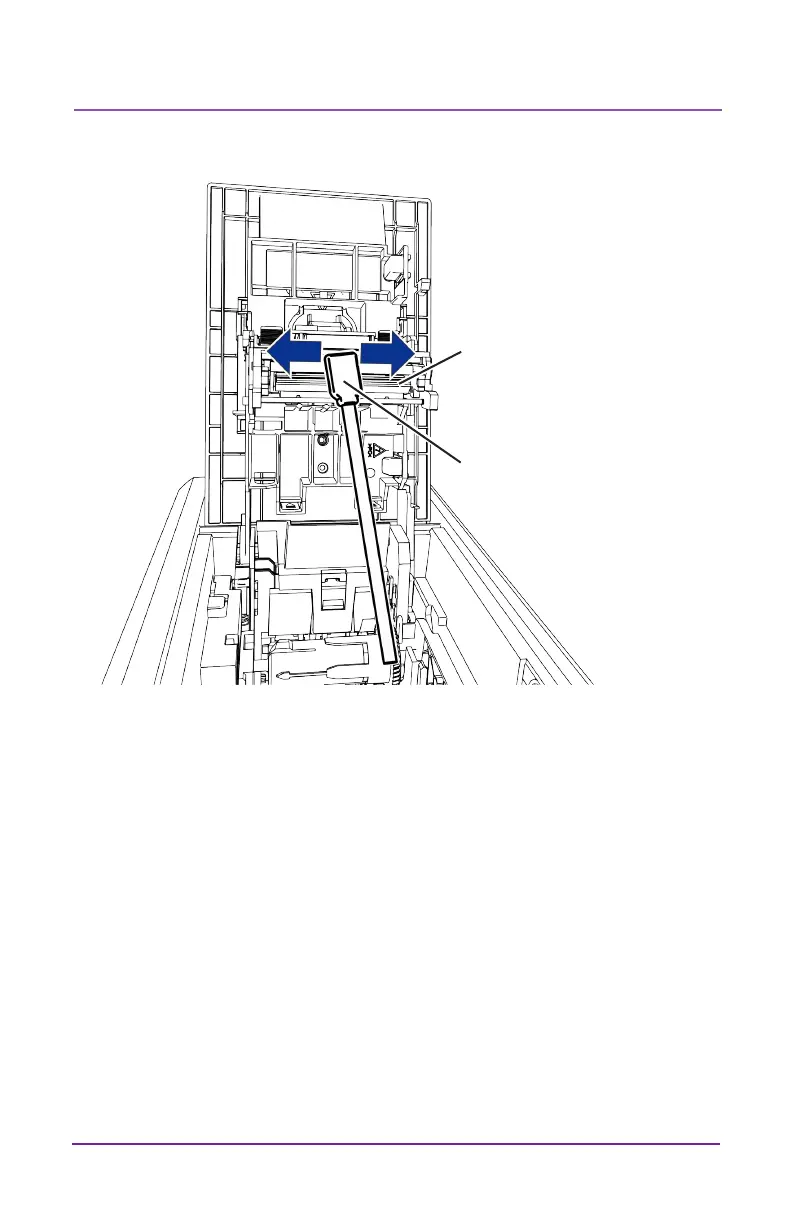
Apply Pressure
Behind Swab
Edge of the
Printhead
5. Hold the swab vercally and scrub the printhead edge back and
forth from end to end while using your thumb to apply pressure.
Scrub back and forth quickly for at least 10 seconds.
6. Close the printer cover. Press down on the ridges on the front of
the cover to make sure that it latches completely on both sides.
7. Power on the printer.
8. Print a sample card to verify the quality of prinng.



 To Next Page