32 Using the Printer
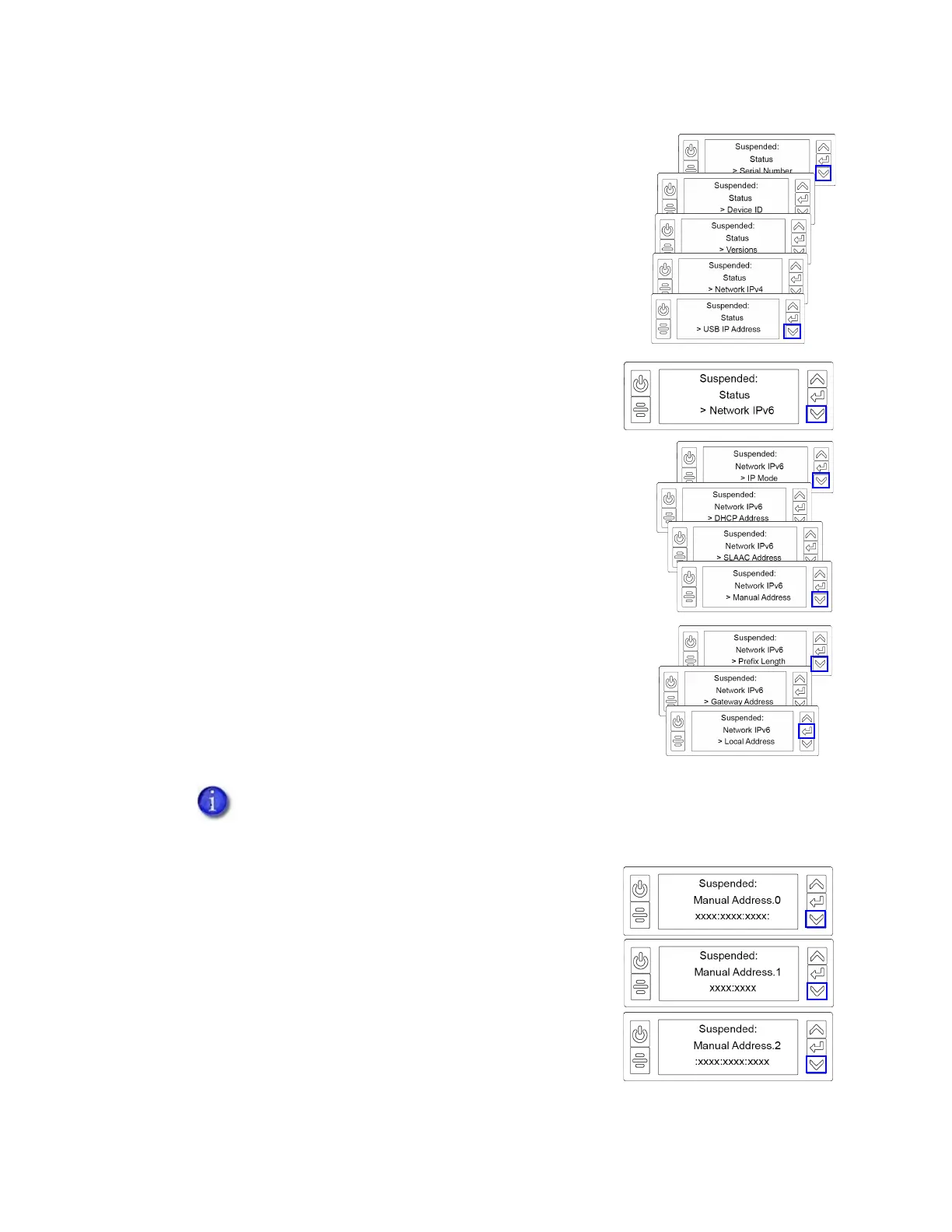
c. Press the down arrow until Network IPv6 displays on
line 3.
d. Press E
NTER to display the Network IPv6 menu.
4. Press the down arrow until the address method used by
your network displays on line 3.
DHCP
SLAAC
Manual
Local
Press E
NTER to display the IP address.
An IPv6 address is represented as eight groups of four
hexadecimal digits separated by colons. The address
requires 39 characters to display. Because the LCD displays
a limited number of characters per line, the IPv6 address is
spread across three screens of the LCD panel. You can
press either the down arrow or the E
NTER key to display
the next section of the address. A digit at the end of line 1
indicates which section of the address is being displayed.
The following example shows the LCD display for an IPv6 Manual address. DHCP,
SLAAC, and Local addresses behave the same, as does the gateway address for a
manual address.



 To Next Page