Sigma DS4 and DS4-ES1 Instant Financial Issuance System 49
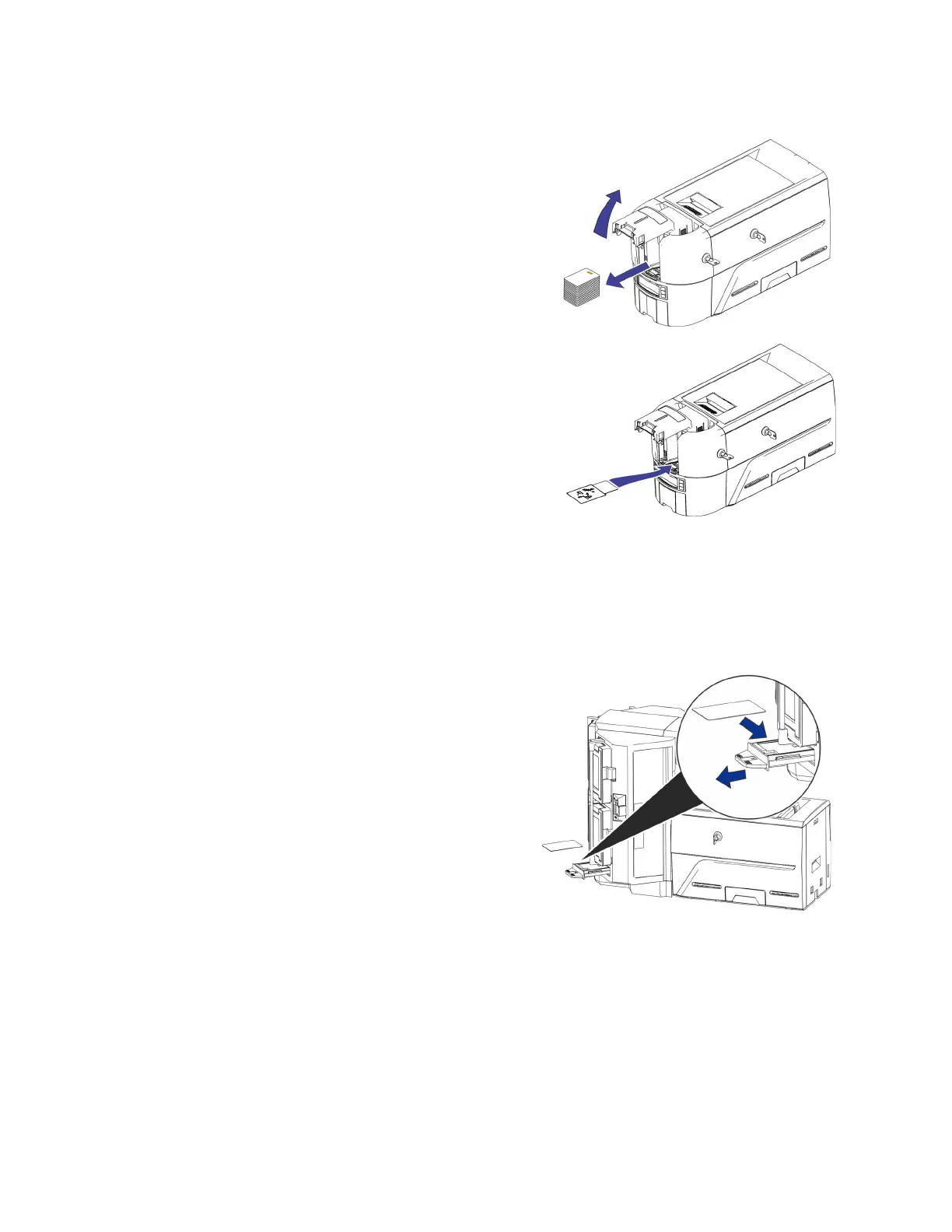
3. Open the input hopper cover and remove any
unprinted cards. Handle the cards by the edges
only, or wear approved card inspection gloves.
4. Load the cleaning card into the input hopper.
5. Close and lock the input hopper.
6. Continue with “Run the Cleaning Card”.
Multi-Hopper Printer
1. Unlock the printer and open the printer cover.
2. Remove the print ribbon, close the cover, and lock the printer.
3. Pull out the multi-hopper exception slide and
insert the cleaning card.
4. Push in the exception slide.
5. Continue with “Run the Cleaning Card”.



 To Next Page