Sigma DS4 and DS4-ES1 Instant Financial Issuance System 53
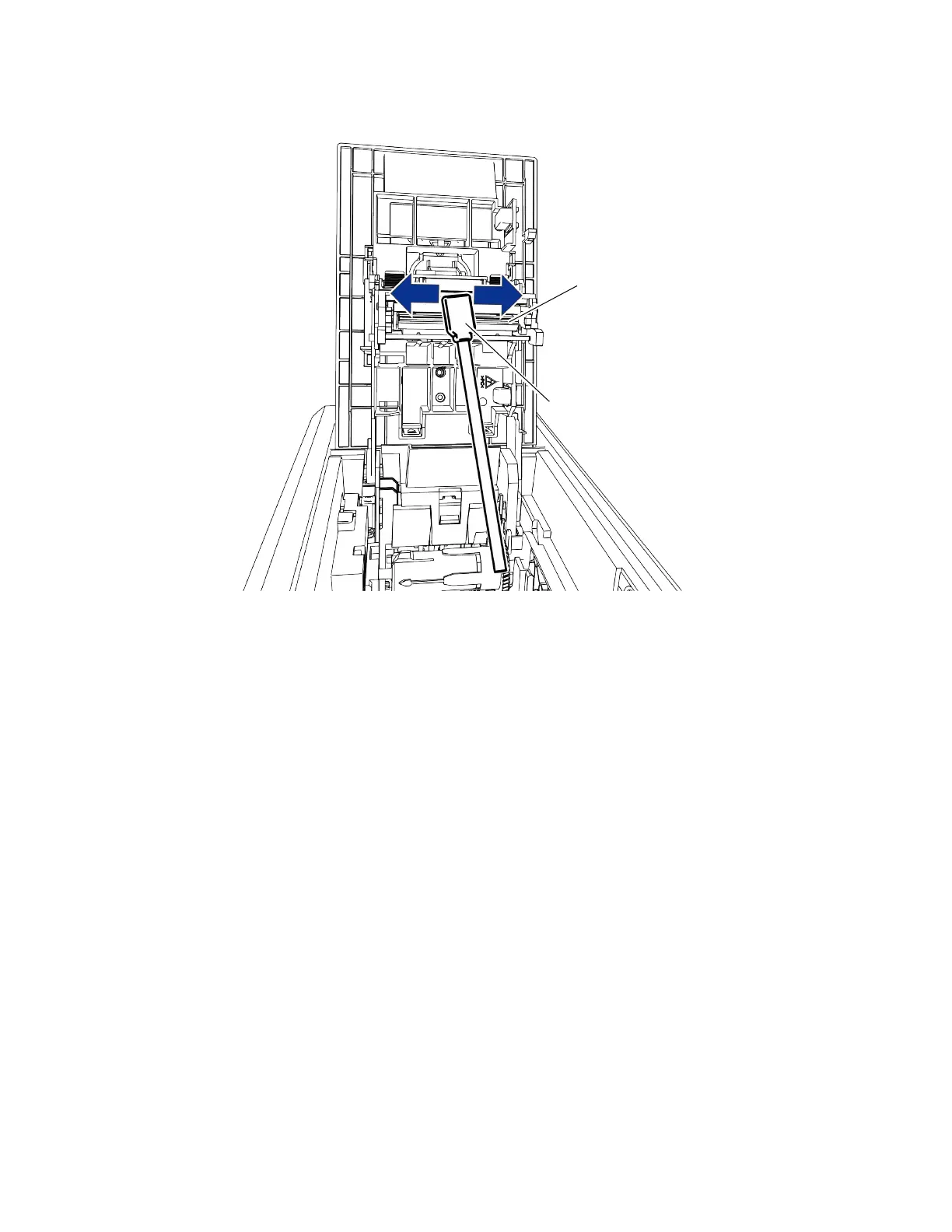
5. Hold the swab vertically and scrub the printhead edge back and forth from end to end while
using your thumb to apply pressure. Scrub back and forth quickly for at least 10 seconds.
6. Close the printer cover. Press down on the ridges on the front of the cover to make sure that
it latches completely on both sides.
7. Power on the printer.
8. Print a sample card to verify the quality of printing.
HINTS & TIPS
Avoid touching the printhead edge with your fingers. Contamination due to skin oils
eventually can damage the printhead.
Avoid touching the printing edge of the printhead cartridge with any sharp objects that can
permanently damage the printhead.
Use only the cleaning swab to clean the printhead. Other materials can stick to the printhead
and cause damage.
Use a cleaning swab one time only. Discard it after you clean the printhead.
Edge of the
printhead
Apply pressure
behind swab



 To Next Page