29
EN
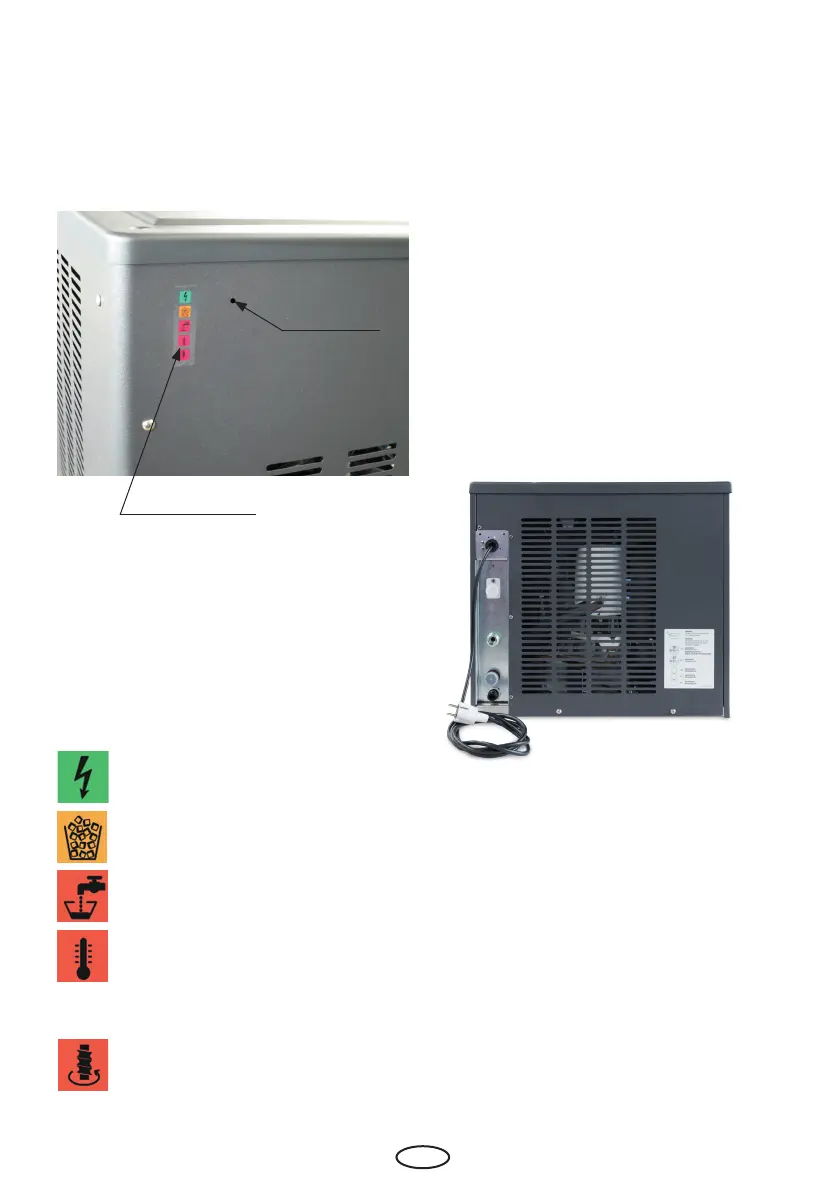
Operating display
The operating display indicates the operating
status.
The various displays have the following mea-
ning:
Reset key
borehole
Operating display
Machine in operation (goes out au-
tomatically outside the programmed
operating time).
Maximum lling level of the ice tray
has been reached.
Lack of water in the oat chamber.
On: condenser temperature too high.
Flashes: pressure equalisation runs,
ice production within approx. 6
minutes
On: Screw turns in wrong direction.
Flashes: Evaporator temperature is
too high.
Switch the machine on
• Check if the machine is connected correctly.
• Mains plug connected?
• Supply water connected?
• Supply and return lines of the cooling cir-
cuit connected?
• Feed and drain lines installed in compli-
ance with valid regulations?
• Open the water supply at customer's site.
• Plug in to the mains.
• The green LED of the operating display is on.
• The middle red LED ashes. After a waiting
period of 3 minutes, the middle red LED goes
out and the screw drive and the compressor
start.
• The rst ice is available about 2 to 3 minutes
after starting the compressor.
Operations
Reset of the disinfection/descaling monitoring.
The Reset button is located behind the 3 mm
hole. To activate the Reset button, take a pin
(Ø 3 mm) and push it into the borehole as far
as it will go.
Fig. 10
Fig. 9



 To Next Page