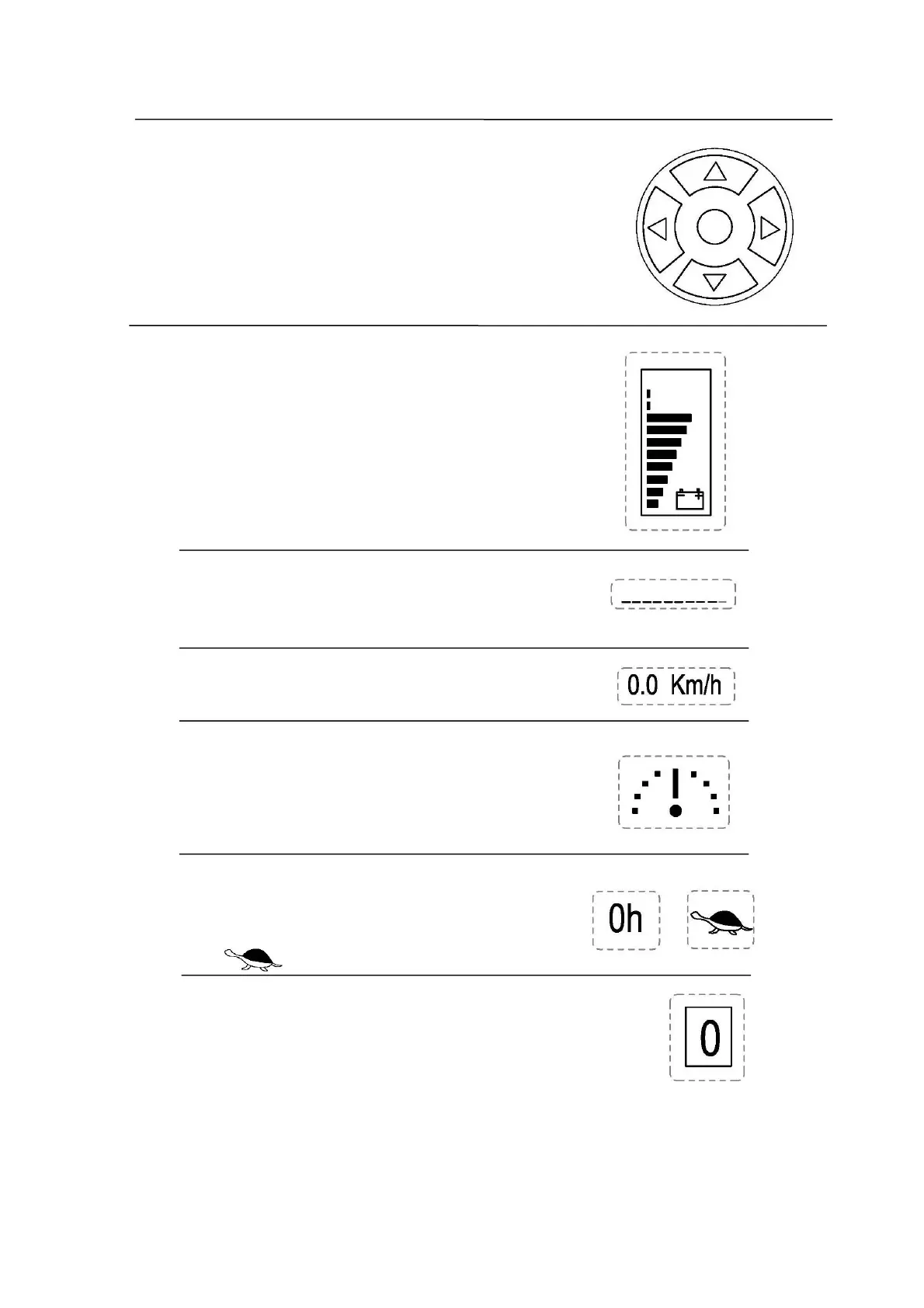
6 Function keys
Use the "left" button to adjust the speed mode;Use the
"down" button to switch the driving mode. Use the "middle" to
code.
7 LCD screen
Power display area
It will display the rate of charge here.Each cell
represents 10% charge,a total of 10 lattice.
For example, figure shows the reach truck has
80% charge.
Information display area
Displays the warning and fault indication(see 6.1
Error Message,Page 35 )
Speed display area
Displays possible travel speeds.Unit:Km/h .
Steering display area
Use the steering wheel to steer the truck outside
narrow aisles.The position of the drive wheel is shown
here,area:+/- 90° .
Driving mode display area
" 0h " :High speed;
" " :Crawl speed.
Speed mode display area
Four modes : Mode 1、Mode 2、Mode 3 and Mode 4 .
Switch the mode:Press the left button of Function keys(6)
to switch the mode.


 To Next Page