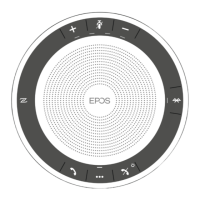
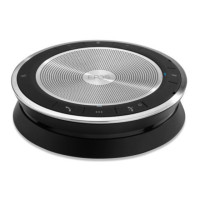
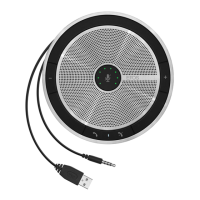
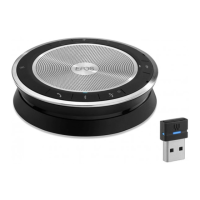
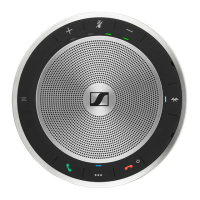
A: USB cable B: Bluetooth via NFC C: Bluetooth D: Bluetooth via dongle
A: Connecting via USB cable
1
X Connect the USB plug to the USB socket.
2
A
B
X Put the cable into the cable channel (A or B) to secure it.
3
USB-AUSB-C
®
X Connect the USB connector directly to a USB-C port or to a USB-A port using the included adapter.
The speakerphone turns on automatically. The LED lights up white.
EXPAND 80T Bluetooth Speakerphone
Getting started13
B | C | D About pairing and using with wireless Bluetooth
®
devices
CAUTION
Danger of malfunction!
The transmitted radio waves of mobile phones can impair the operation of sensitive and unprotected devices.
X Only make calls with the speakerphone in locations where wireless Bluetooth transmission is permitted.
The speakerphone complies with the Bluetooth 5.0 standard. In order to transmit data wirelessly, you have to pair your
speakerphone with Bluetooth devices that support “hands free profile” (HFP), “headset profile” (HSP) or “advanced audio
distribution profile” (A2DP).
The speakerphone can be paired to:
• a mobile device: via NFC™ (B, see page 14) or via Bluetooth (C, see page 15) or
• the BTD 800 USB dongle: via Bluetooth (D, see page 16).
The speakerphone can be set to personal or shared mode (see page 28). The default setting is shared mode. In this
mode pairing must be performed every time when connecting a device via Bluetooth.
Default functionality (shared mode):
The speakerphone can save up to eight paired Bluetooth
devices. If you pair the speakerphone with a ninth
Bluetooth device, the saved connection profile of the least
recently used device will be overwritten. If you want to
re-establish a connection with this device, you have to pair
the speakerphone again.
The speakerphone can be wirelessly connected to two
devices at the same time.
You can only connect another device by disconnecting
one of the already connected devices.
The speakerphone can be used wirelessly with a computer.
You can use:
• the computer’s built in Bluetooth functionality or
• the BTD 800 USB dongle.


 To Next Page